Explore / annotated visual evidence
Look at the product, then the proof.
Real source images with researcher commentary. Marketing composites are labeled; no screen here implies hands-on app testing.
Screenshot gallery
 Enlarge ↗Original image ↗
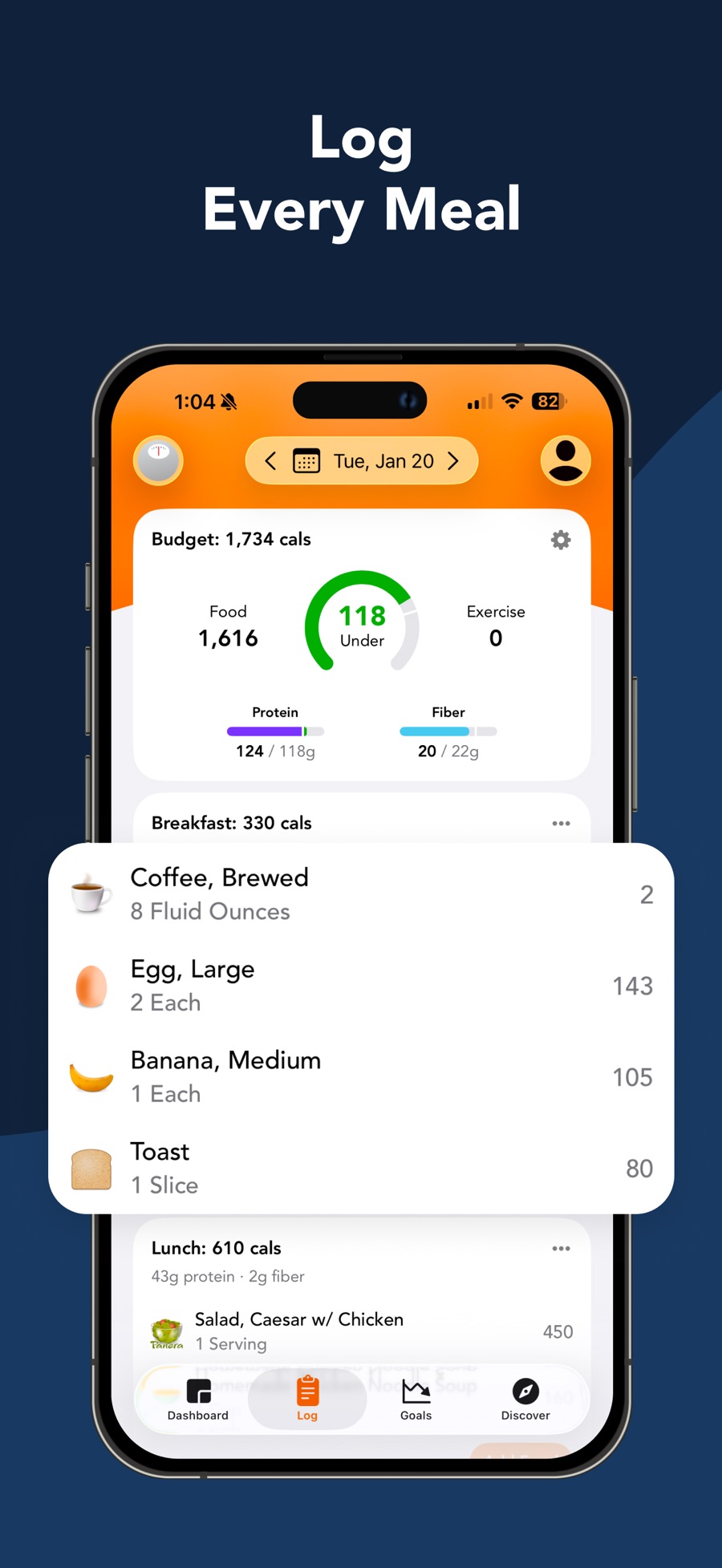
Daily Log
Store marketing · not a native capture
- Budget separates food and exercise; green remainder ring.
- Meal items are magnified in a promotional overlay, not an ordinary native card.
- Four persistent tabs: Dashboard, Log, Goals, Discover.
Image limitations & provenance
Official promotional composite; enlarged overlays may obscure native layout. No interaction or successful operation tested. Annotated derivative: assets/annotated-02.jpg
Official image context ↗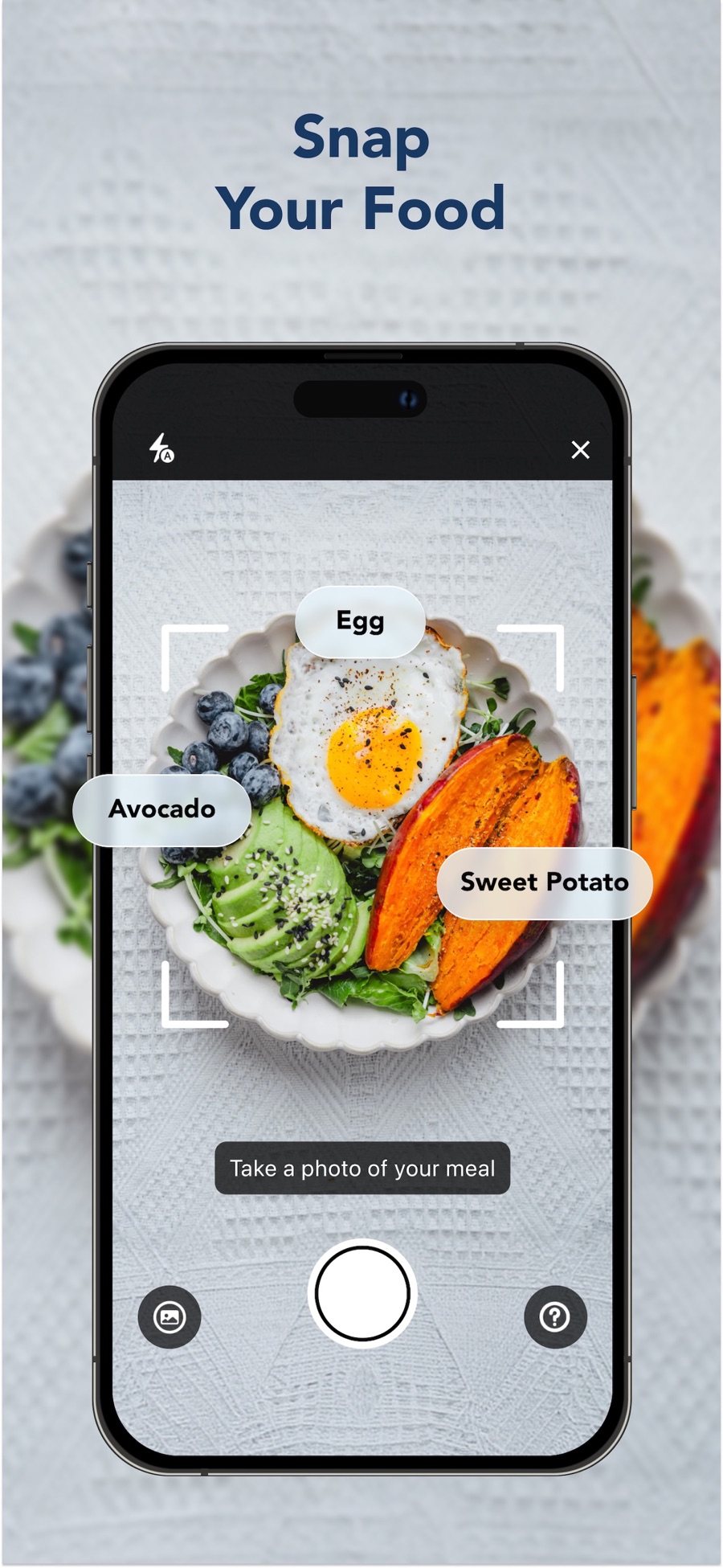 Enlarge ↗Original image ↗
Snap It camera
Store marketing · not a native capture
- Framing corners surround the meal; ingredient labels are promotional overlays.
- Shutter is central; gallery and help flank it.
- Flash and close controls occupy opposite top corners.
Image limitations & provenance
Official promotional composite; enlarged overlays may obscure native layout. No interaction or successful operation tested. Annotated derivative: assets/annotated-03.jpg
Official image context ↗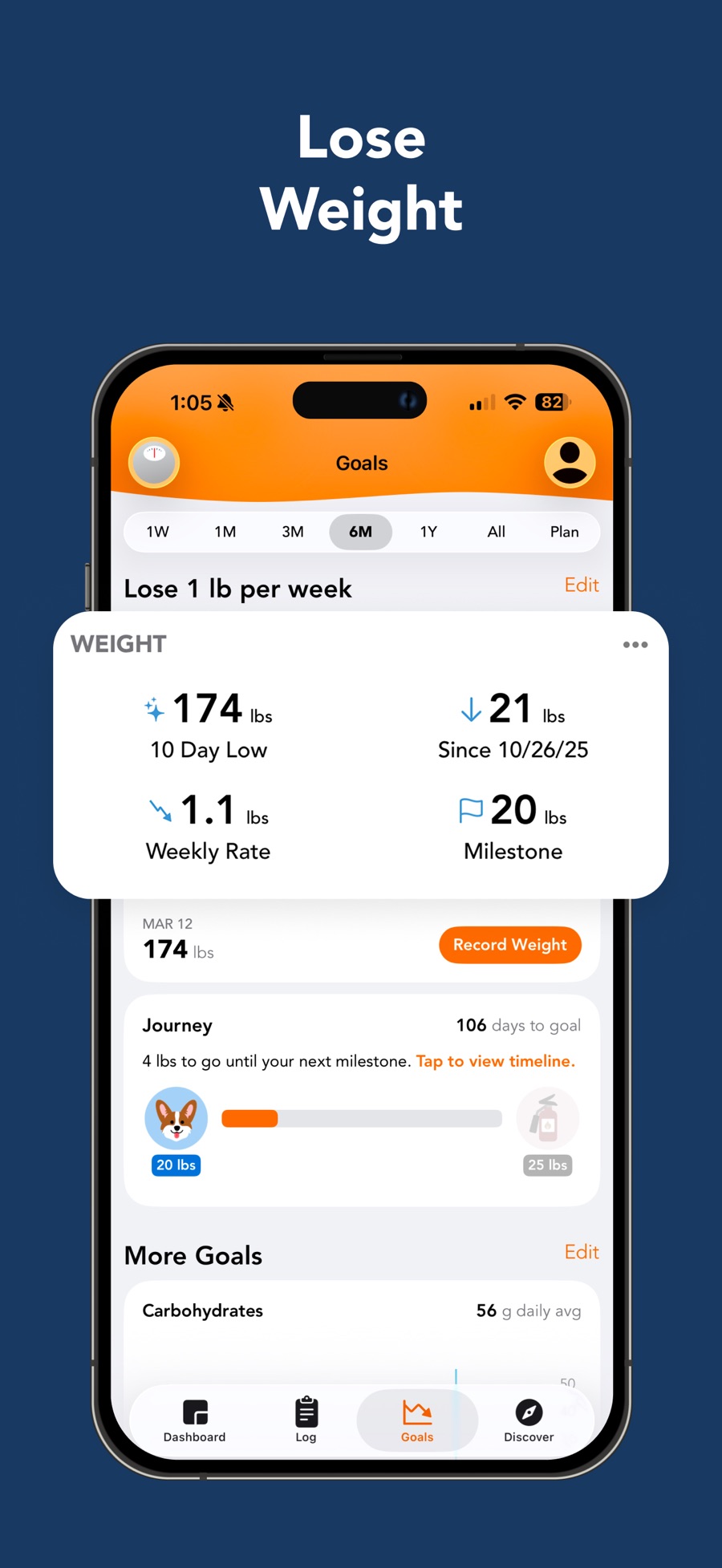 Enlarge ↗Original image ↗
Goals and weight progress
Store marketing · not a native capture
- Time-range selector sits above the plan summary.
- Enlarged metrics overlay covers part of the actual chart.
- Record Weight and milestone Journey remain visible below.
Image limitations & provenance
Official promotional composite; enlarged overlays may obscure native layout. No interaction or successful operation tested. Annotated derivative: assets/annotated-04.jpg
Official image context ↗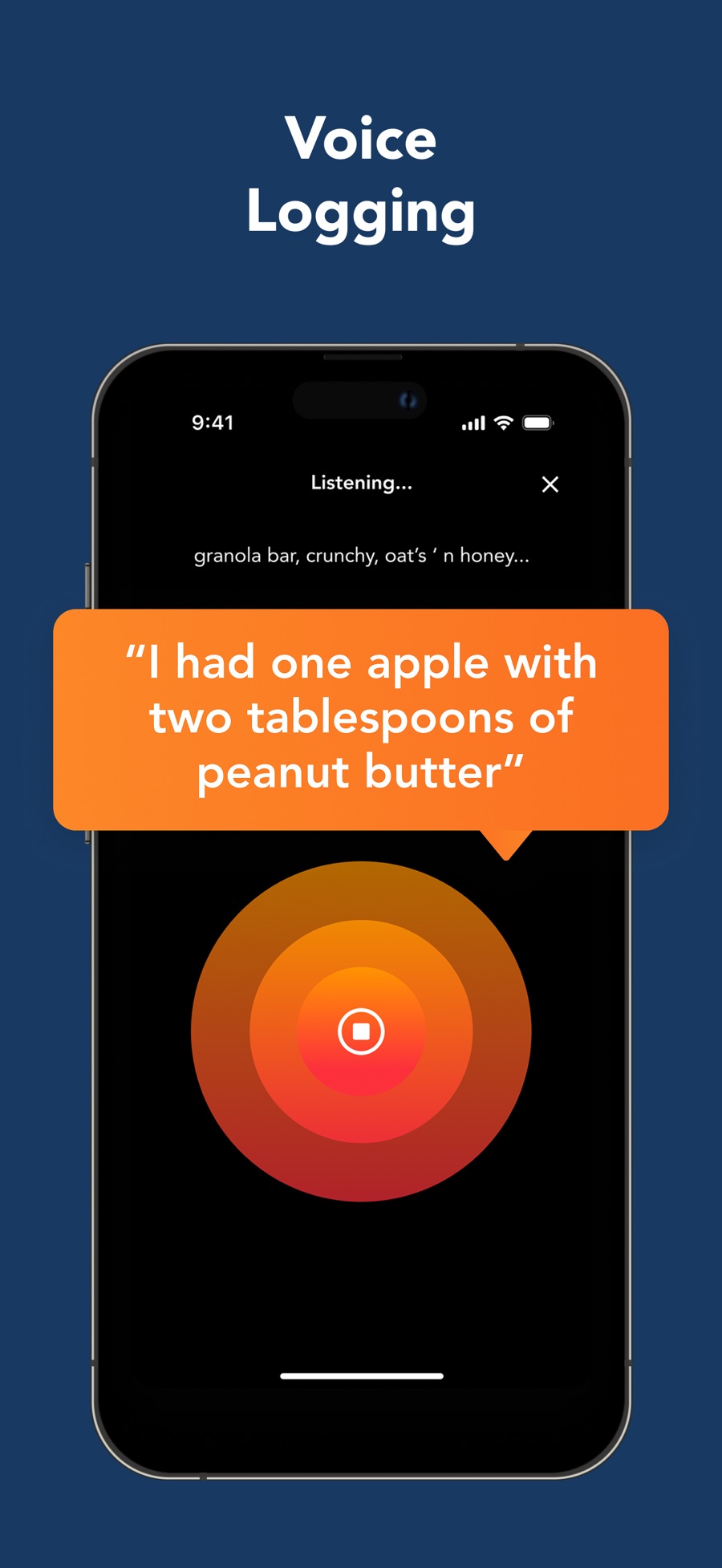 Enlarge ↗Original image ↗
Say It listening
Store marketing · not a native capture
- Listening status, partial transcript and close affordance.
- Stop icon centered in concentric colored circles.
- Large speech bubble is promotional copy, not proven editable transcript.
Image limitations & provenance
Official promotional composite; enlarged overlays may obscure native layout. No interaction or successful operation tested. Annotated derivative: assets/annotated-05.jpg
Official image context ↗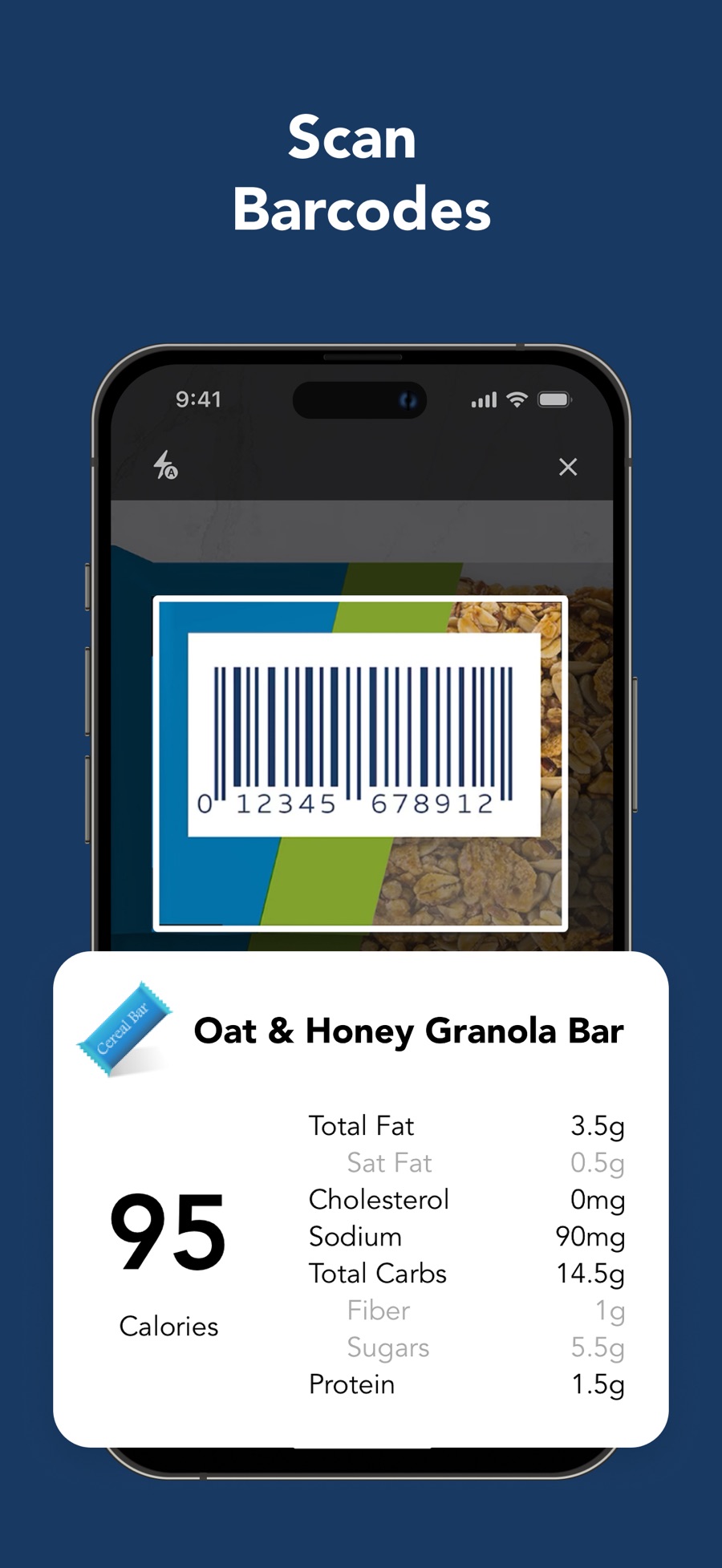 Enlarge ↗Original image ↗
Scan It barcode
Store marketing · not a native capture
- Rectangular barcode framing window with flash and close.
- Enlarged nutrition result is a marketing overlay.
Image limitations & provenance
Official promotional composite; enlarged overlays may obscure native layout. No interaction or successful operation tested. Annotated derivative: assets/annotated-06.jpg
Official image context ↗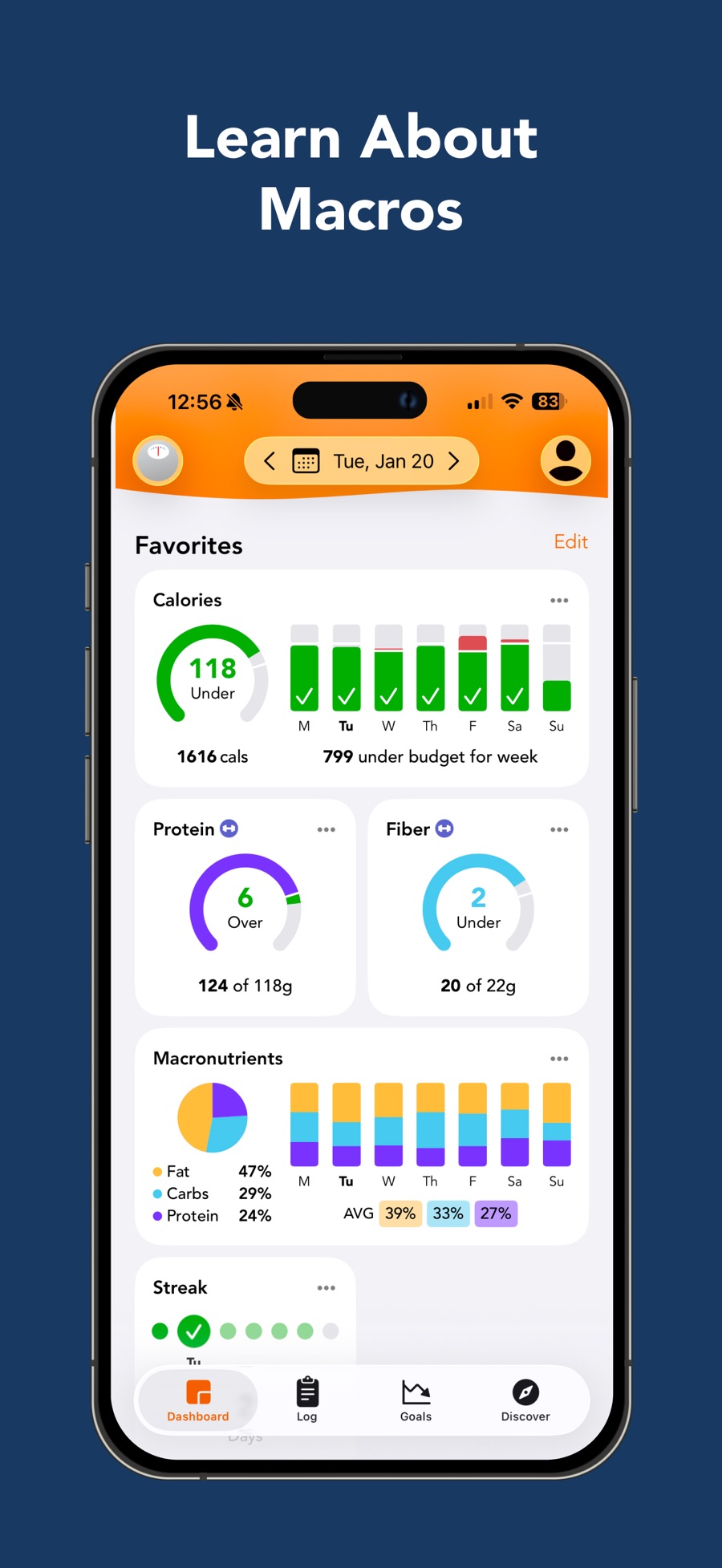 Enlarge ↗Original image ↗
Dashboard nutrition favorites
Store marketing · not a native capture
- Calorie card combines daily ring with seven-day bars.
- Protein and fiber have separate colored goal rings.
- Macro chart and streak place longer-term context below.
Image limitations & provenance
Official promotional composite; enlarged overlays may obscure native layout. No interaction or successful operation tested. Annotated derivative: assets/annotated-07.jpg
Official image context ↗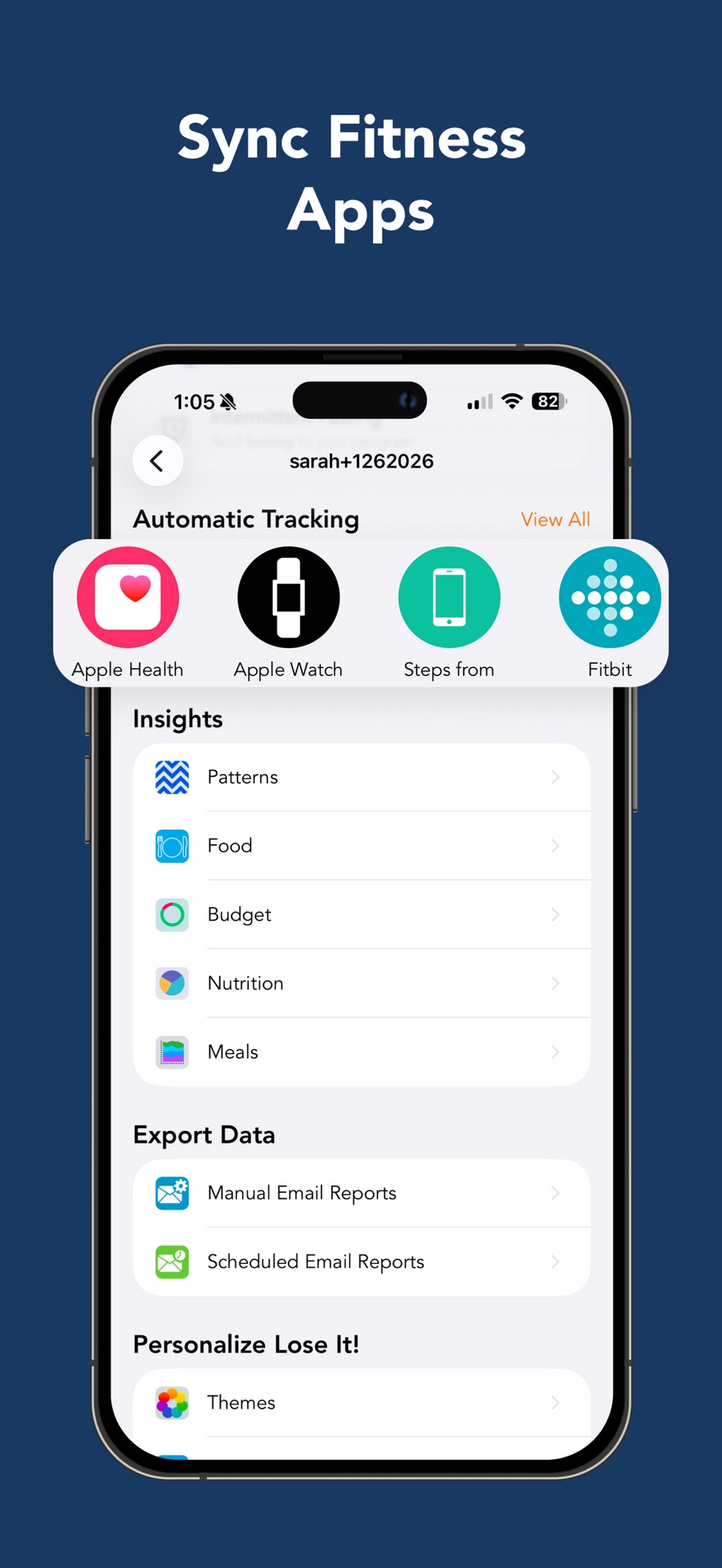 Enlarge ↗Original image ↗
Profile integrations and reports
Store marketing · not a native capture
- Automatic Tracking icons enlarged as promotional overlay.
- Insights are separate navigable rows.
- Manual and scheduled reports grouped under Export Data.
Image limitations & provenance
Official promotional composite; enlarged overlays may obscure native layout. No interaction or successful operation tested. Annotated derivative: assets/annotated-08.jpg
Official image context ↗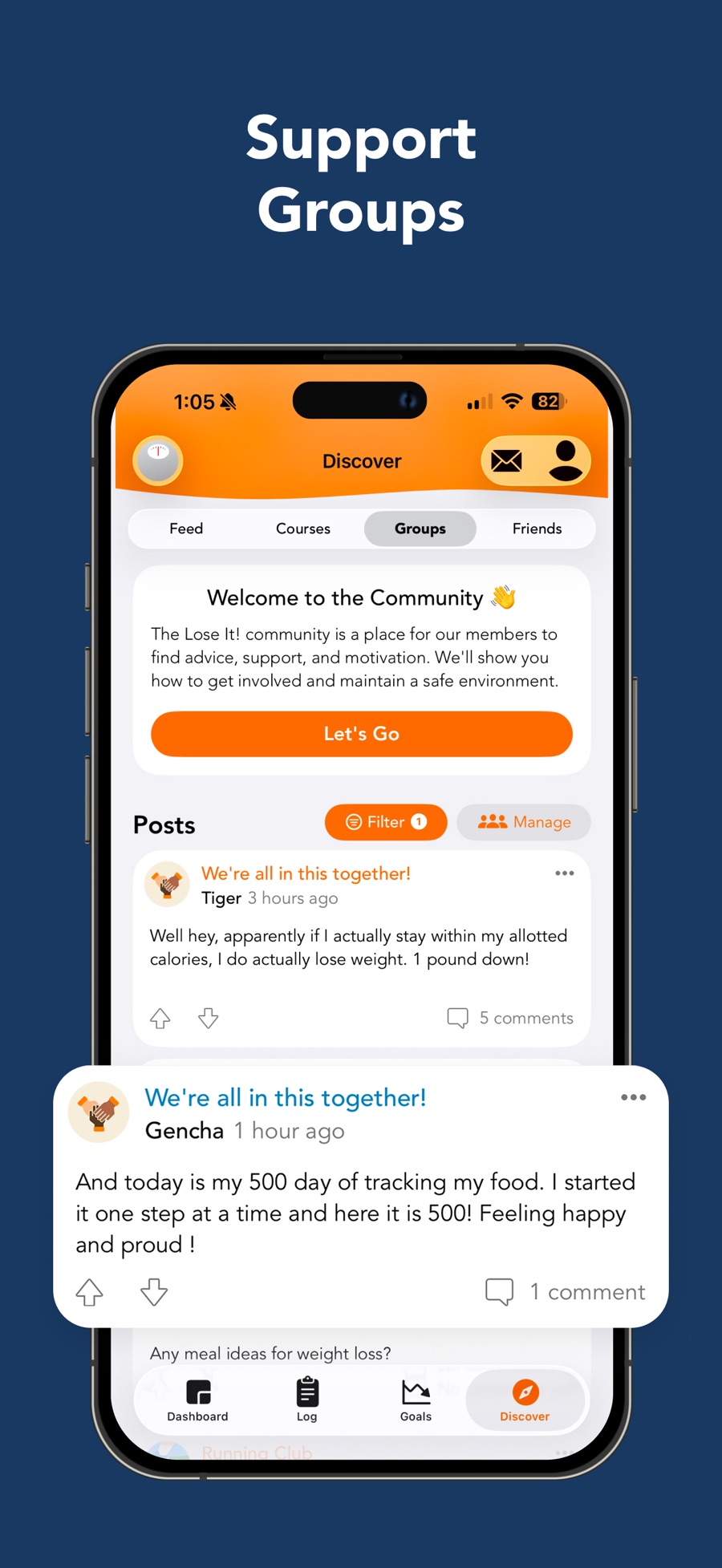 Enlarge ↗Original image ↗
Discover Groups
Store marketing · not a native capture
- Feed, Courses, Groups, Friends form a local tab row.
- Community invitation sits before the posts feed.
- Post action icons and comment counts shown; lower post enlarged.
Image limitations & provenance
Official promotional composite; enlarged overlays may obscure native layout. No interaction or successful operation tested. Annotated derivative: assets/annotated-09.jpg
Official image context ↗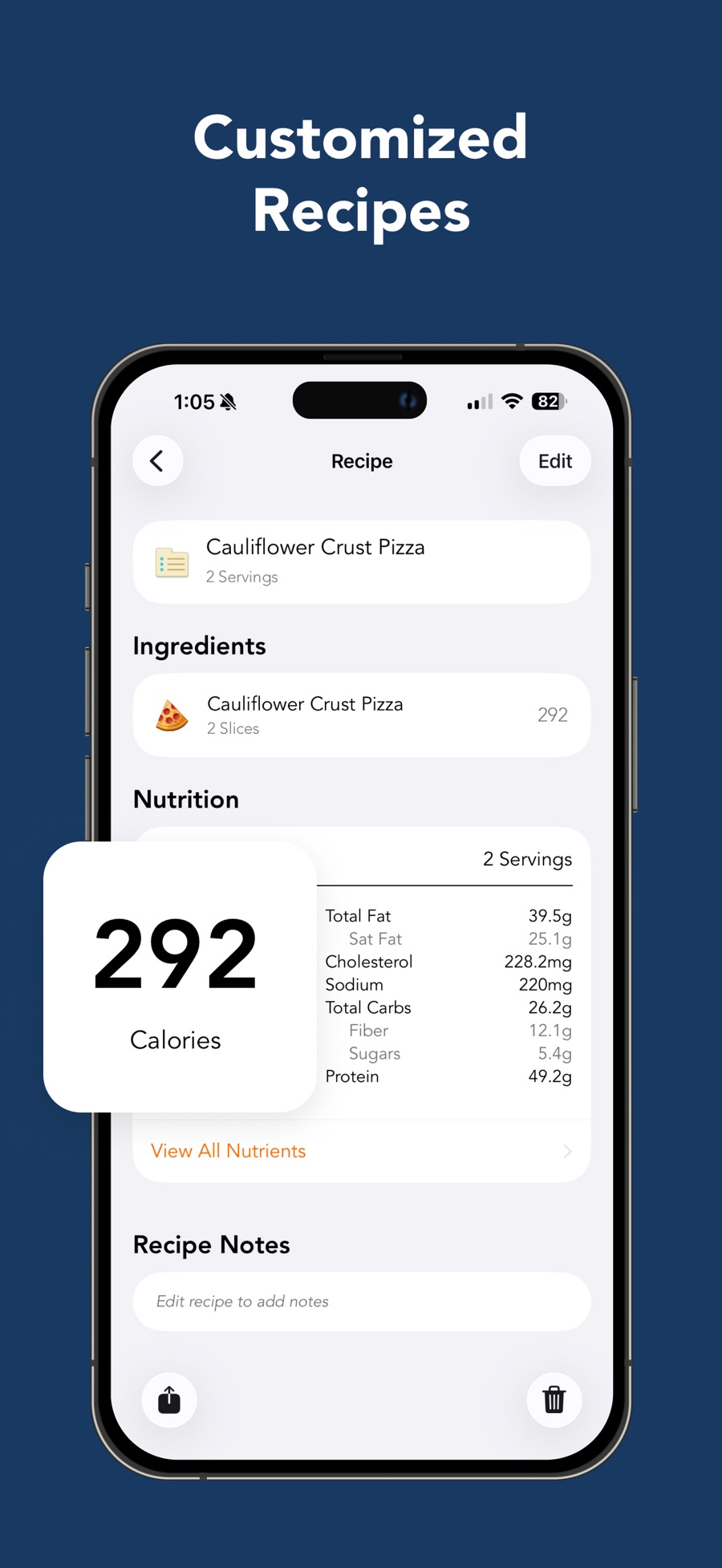 Enlarge ↗Original image ↗
Recipe detail
Store marketing · not a native capture
- Recipe yield is listed beneath its name; Edit at top right.
- Ingredients and nutrition separated into sections.
- Notes, share and delete controls occupy lower page.
Image limitations & provenance
Official promotional composite; enlarged overlays may obscure native layout. No interaction or successful operation tested. Annotated derivative: assets/annotated-10.jpg
Official image context ↗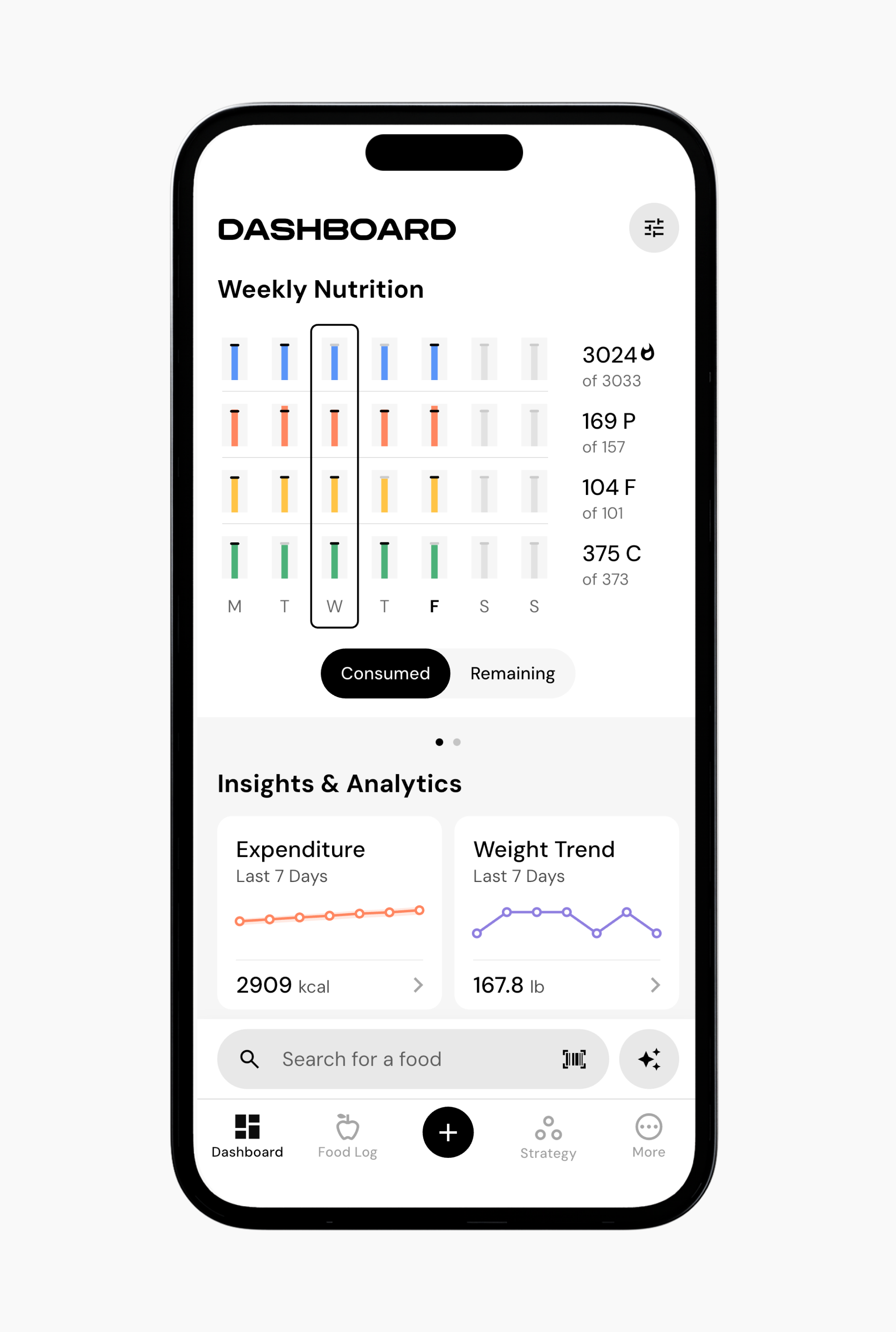 Enlarge ↗Original image ↗
Dashboard weekly overview
Help screenshot
- Seven-day nutrition bars sit above insight cards.
- Consumed/remaining toggle changes summary framing.
Image limitations & provenance
Official vendor-help composite/device-framed image, not our device capture; version/date unknown; no interaction tested.
Official image context ↗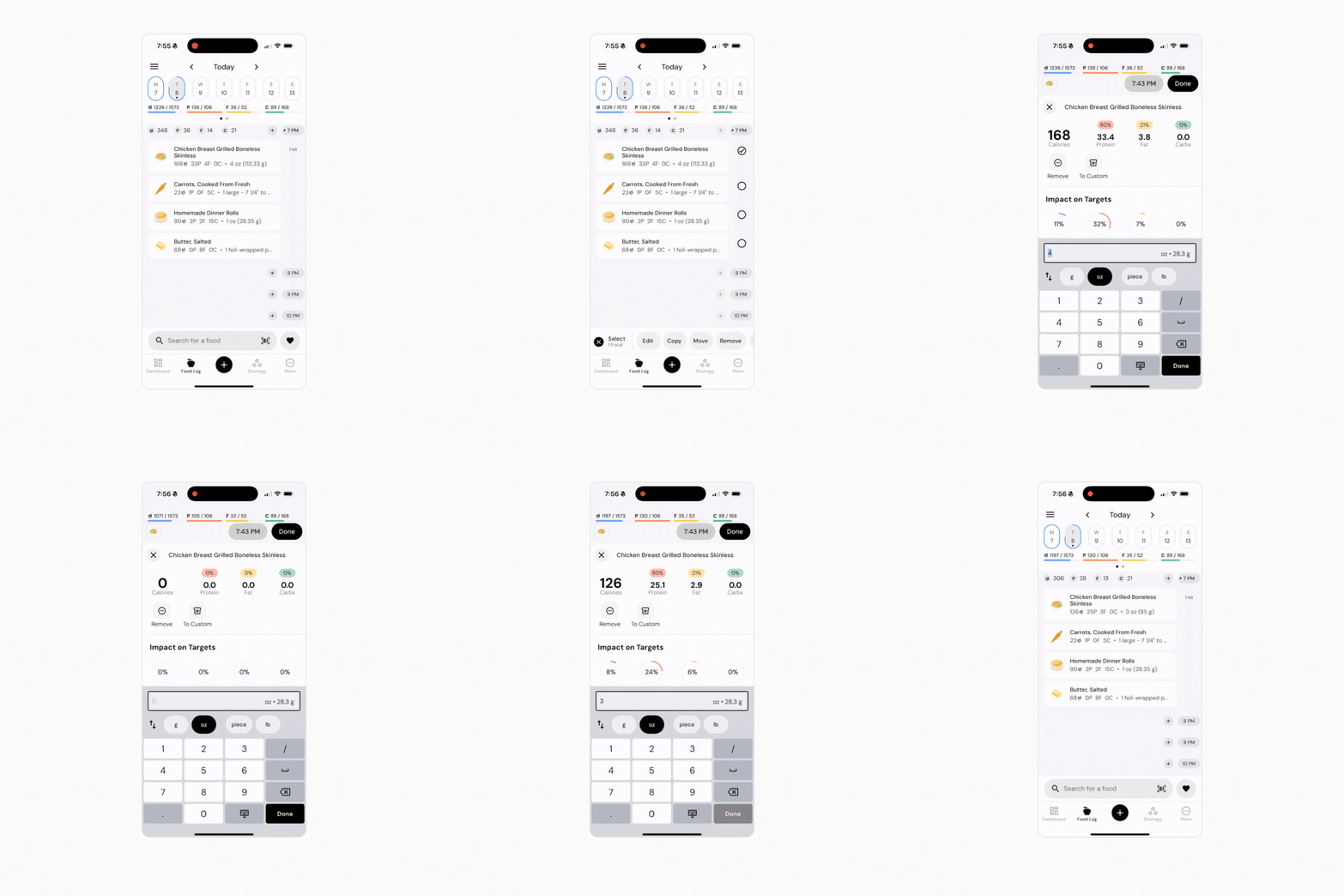 Enlarge ↗Original image ↗
Logged-food correction
Help screenshot
- Quantity field, unit chips and keypad occupy the lower editor.
- Macro totals and target impact remain visible above.
Image limitations & provenance
Official vendor-help composite/device-framed image, not our device capture; version/date unknown; no interaction tested. Original animated GIF retained; annotated copy is middle frame only.
Official image context ↗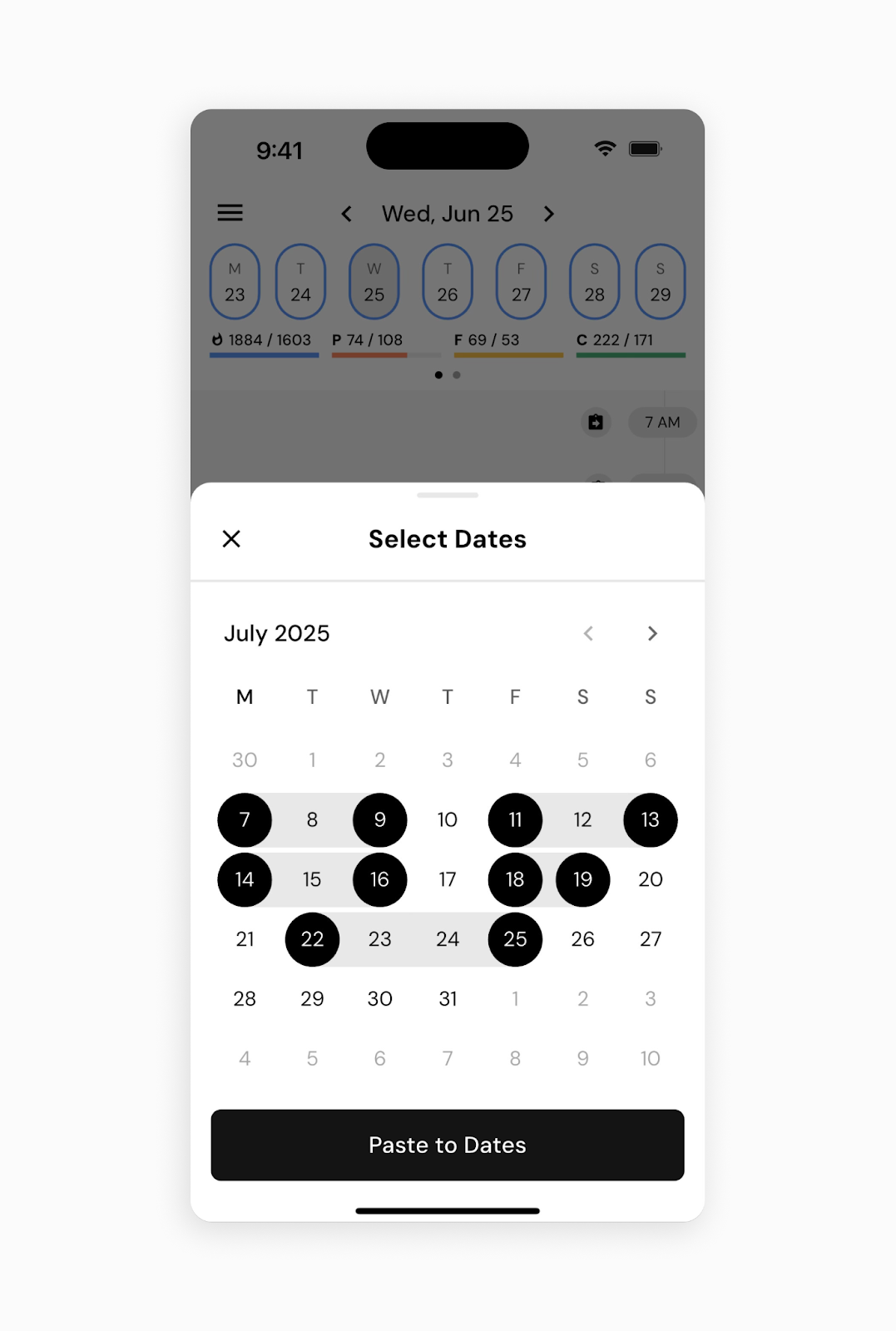 Enlarge ↗Original image ↗
Copy to multiple dates
Help screenshot
- Calendar sheet shows non-contiguous selected dates.
- One bottom action pastes into selected days.
Image limitations & provenance
Official vendor-help composite/device-framed image, not our device capture; version/date unknown; no interaction tested.
Official image context ↗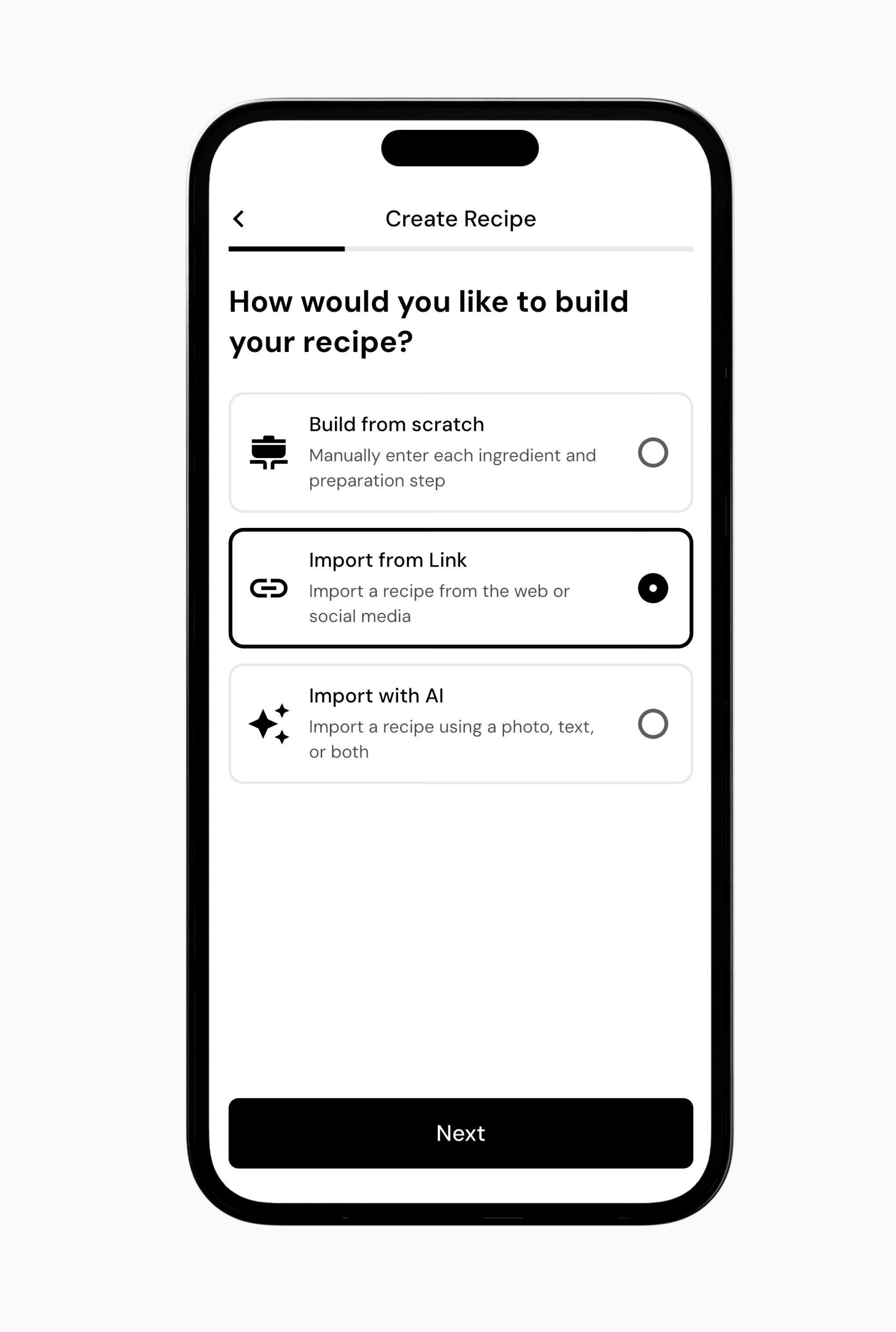 Enlarge ↗Original image ↗
Recipe import method
Help screenshot
- Build/link/AI selection.
- Next advances.
Image limitations & provenance
Official vendor-help composite/device-framed image, not our device capture; version/date unknown; no interaction tested.
Official image context ↗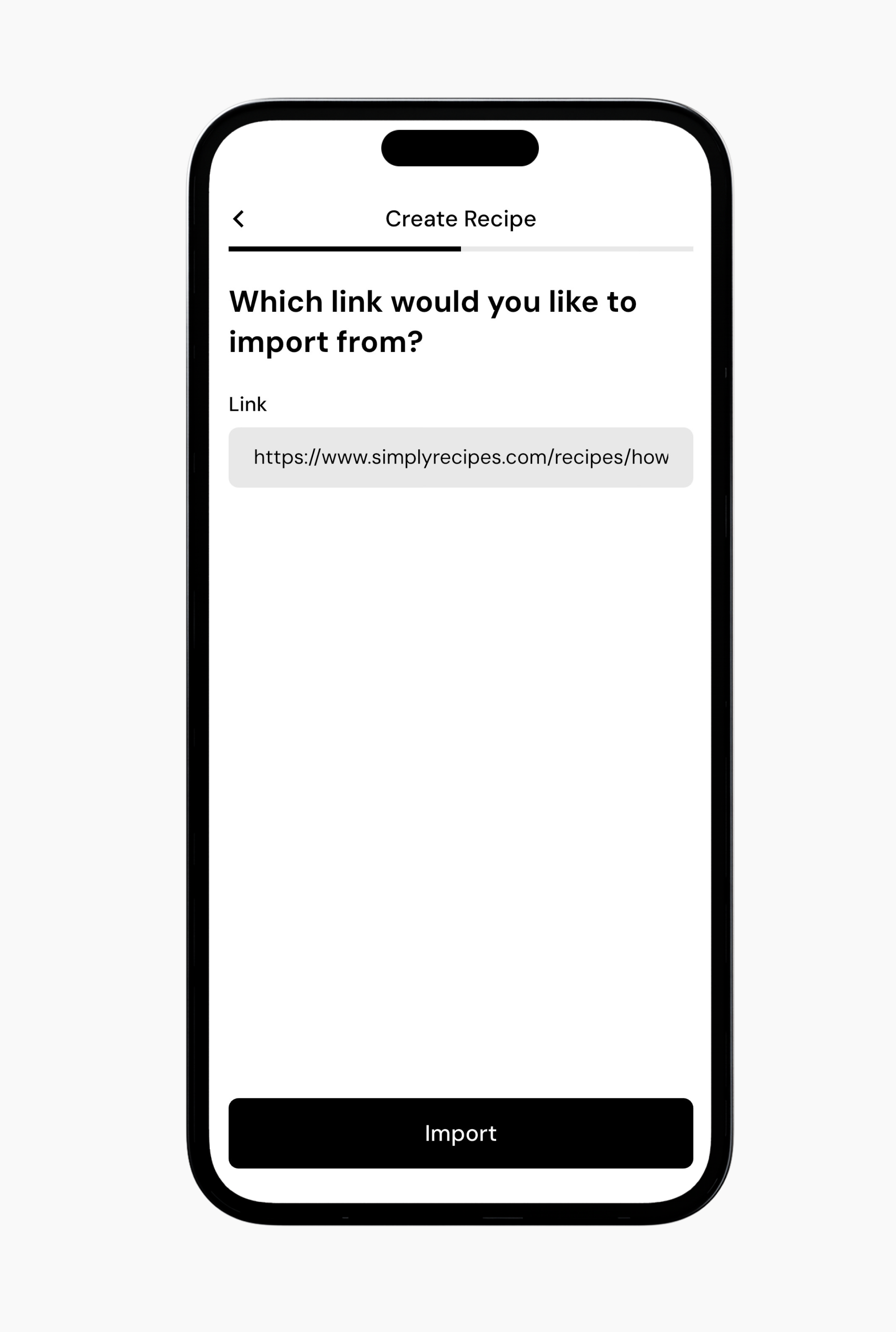 Enlarge ↗Original image ↗
Recipe URL input
Help screenshot
- URL field.
- Import action.
Image limitations & provenance
Official vendor-help composite/device-framed image, not our device capture; version/date unknown; no interaction tested.
Official image context ↗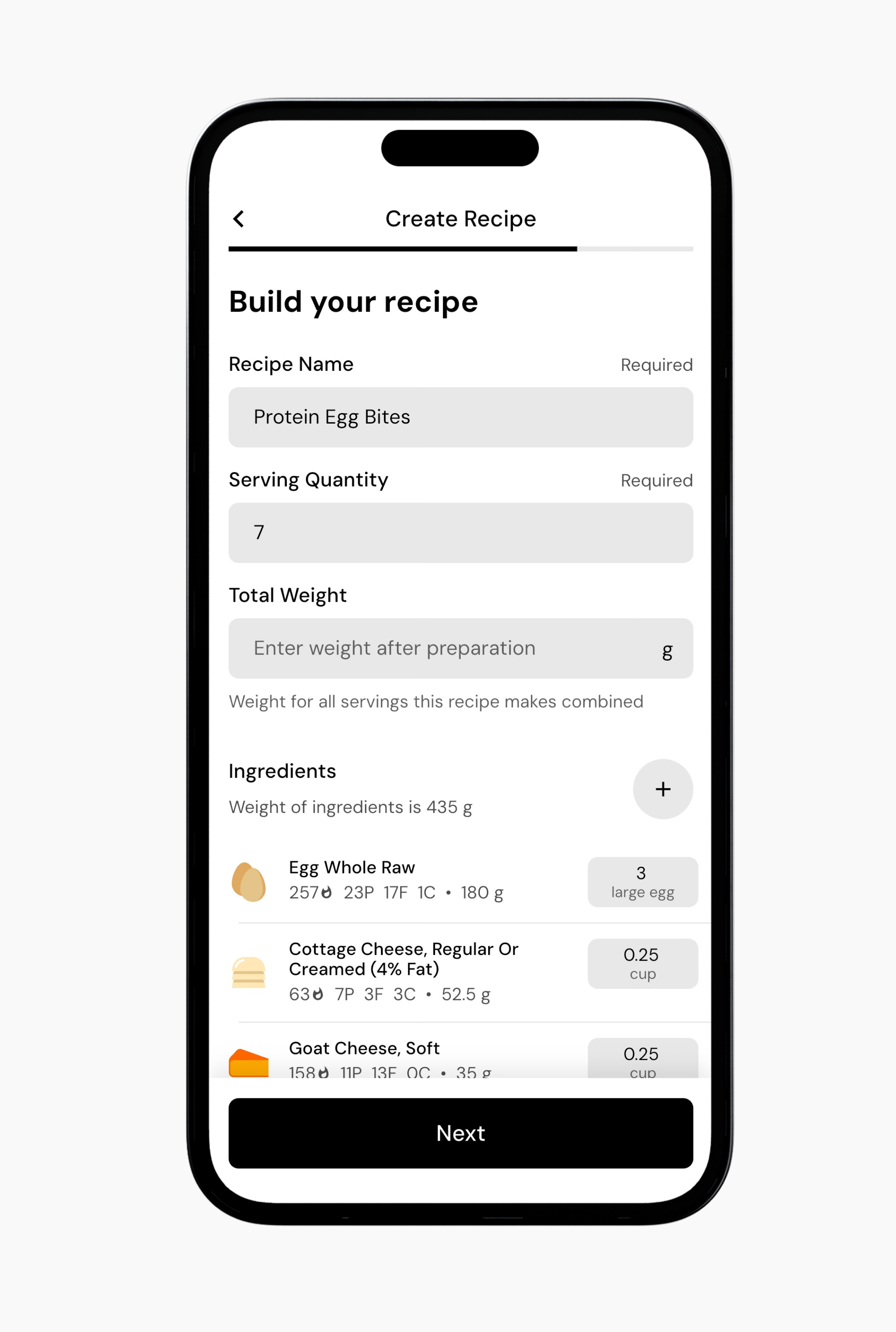 Enlarge ↗Original image ↗
Imported recipe review
Help screenshot
- Editable recipe fields.
- Next advances.
Image limitations & provenance
Official vendor-help composite/device-framed image, not our device capture; version/date unknown; no interaction tested.
Official image context ↗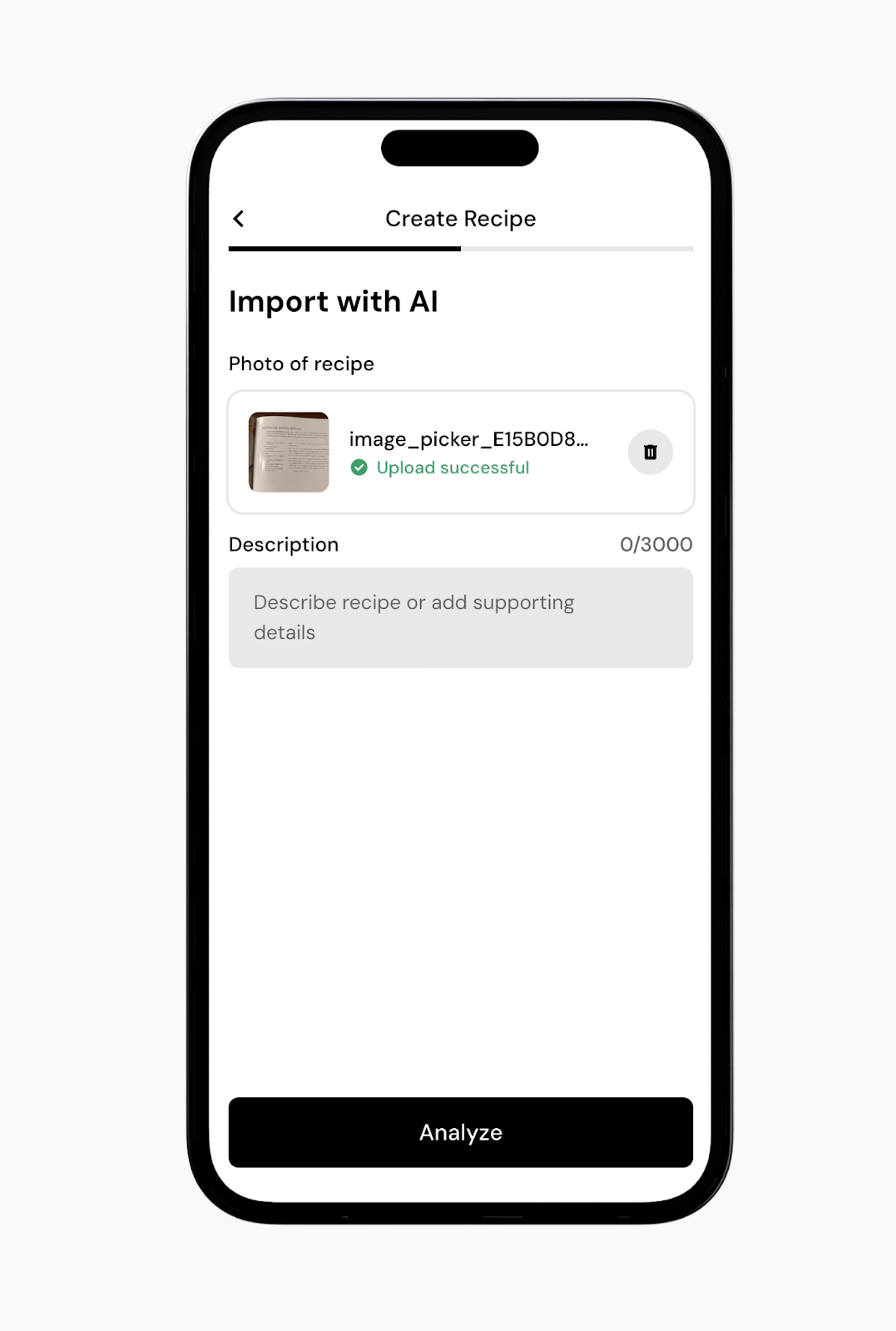 Enlarge ↗Original image ↗
Recipe AI input
Help screenshot
- Uploaded recipe image and optional description share one form.
- Analyze starts interpretation rather than immediately saving.
Image limitations & provenance
Official vendor-help composite/device-framed image, not our device capture; version/date unknown; no interaction tested.
Official image context ↗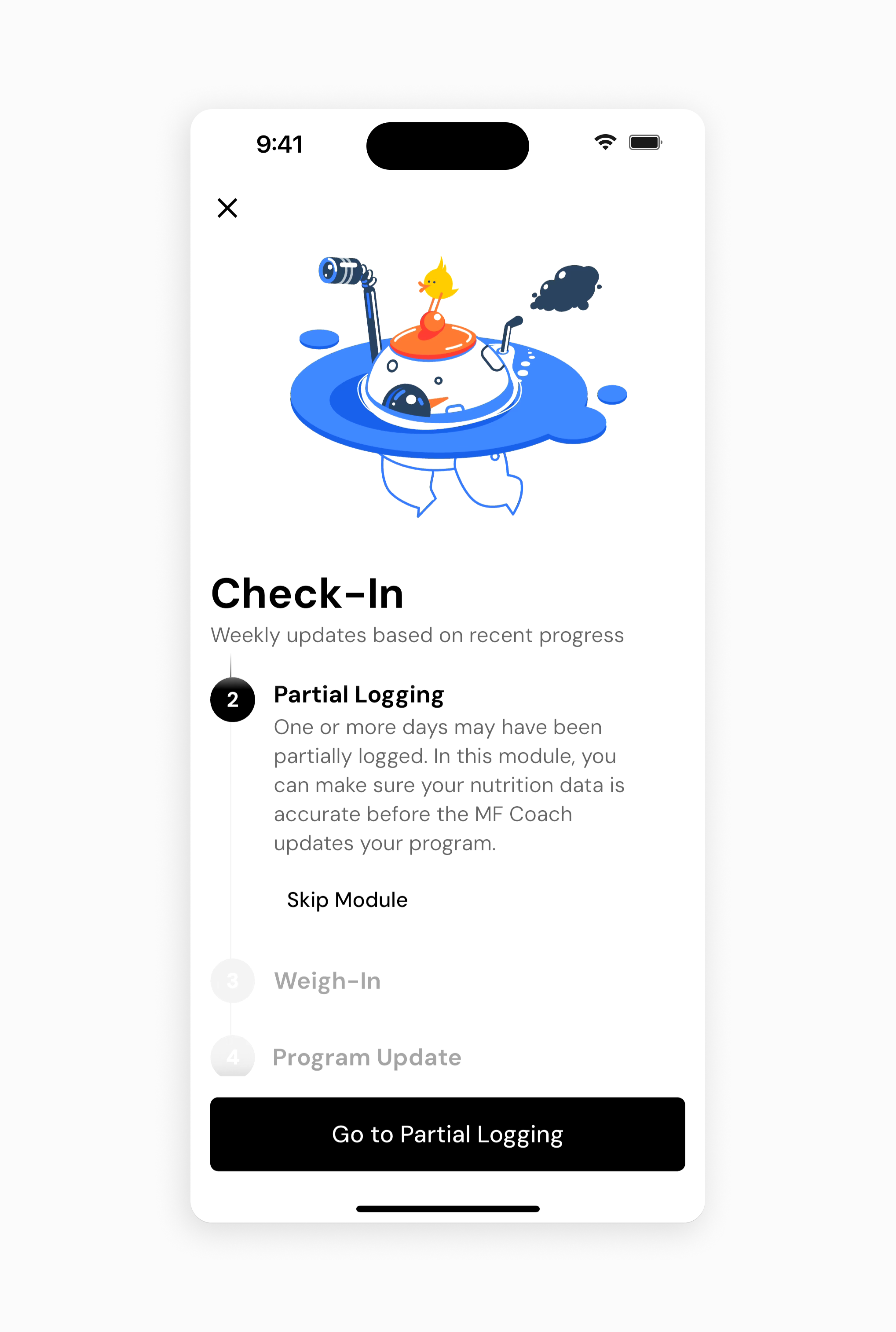 Enlarge ↗Original image ↗
Check-in module agenda
Help screenshot
- Partial Logging is surfaced before later modules.
- Skip Module and continue are separately available.
Image limitations & provenance
Official vendor-help composite/device-framed image, not our device capture; version/date unknown; no interaction tested.
Official image context ↗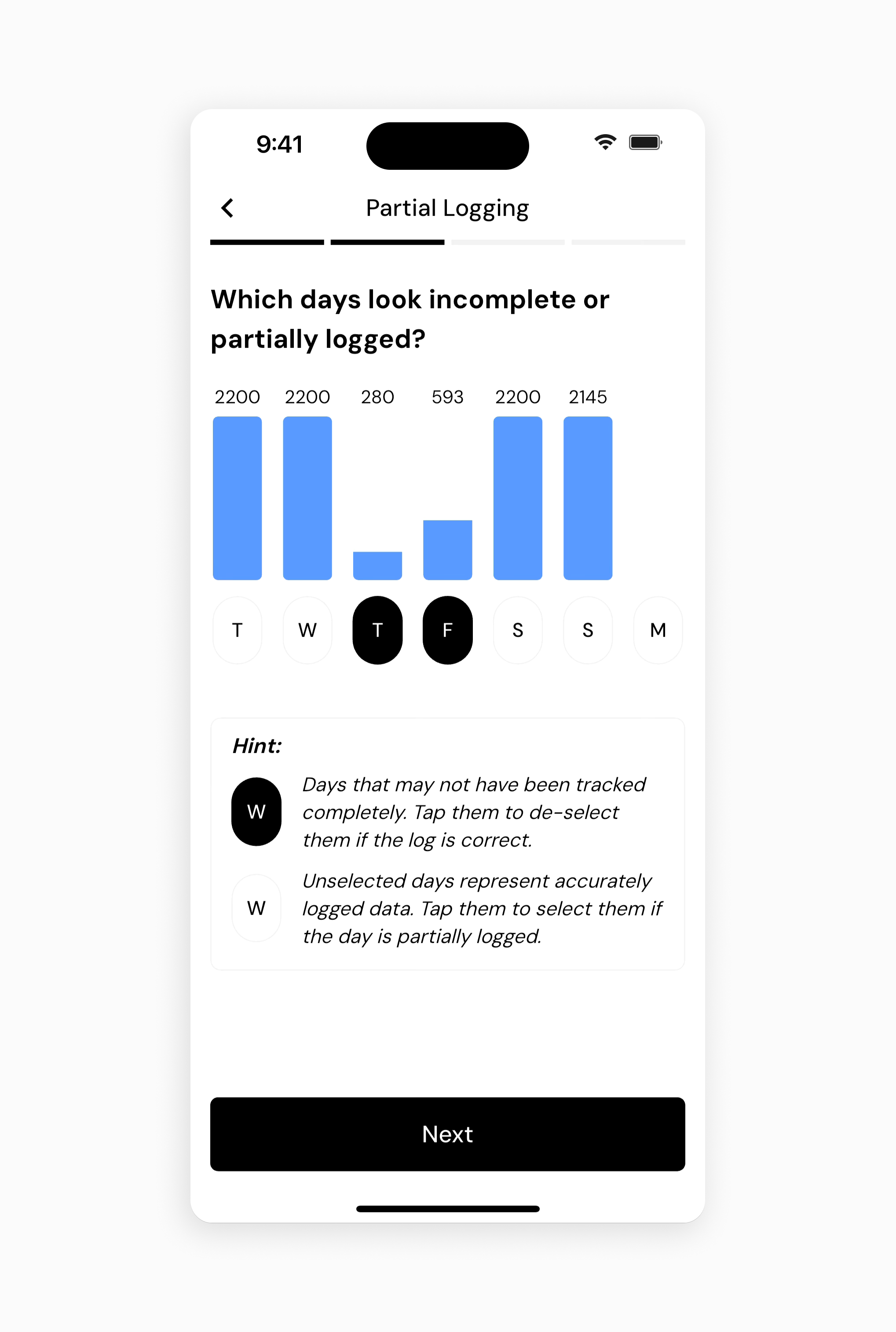 Enlarge ↗Original image ↗
Partial-day repair
Help screenshot
- Low-intake bars are paired with selectable day pills.
- Legend distinguishes incomplete from accurately logged days.
Image limitations & provenance
Official vendor-help composite/device-framed image, not our device capture; version/date unknown; no interaction tested.
Official image context ↗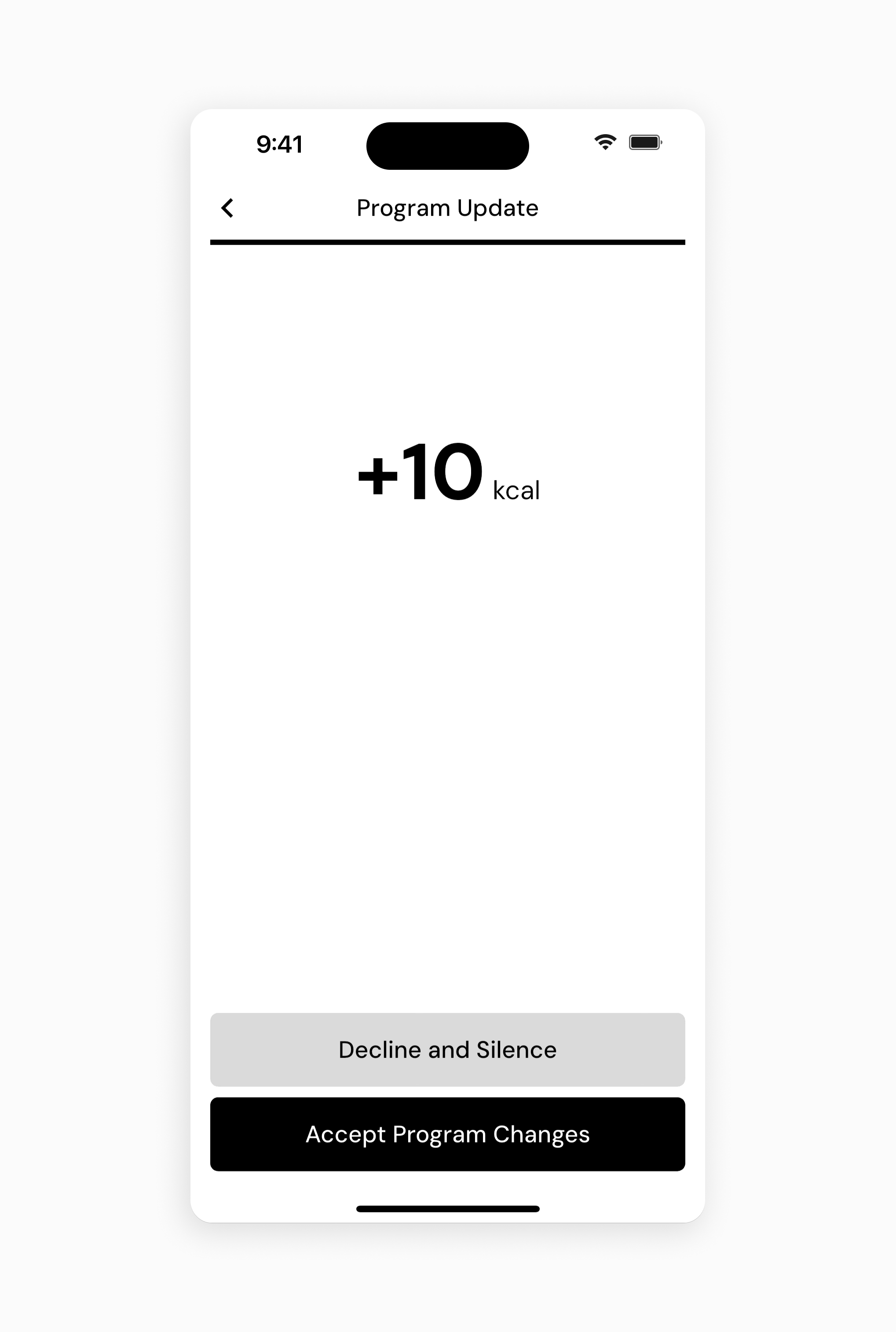 Enlarge ↗Original image ↗
Program update consent
Help screenshot
- Proposed calorie change is prominent in open space.
- Decline and Silence sits above Accept Program Changes.
Image limitations & provenance
Official vendor-help composite/device-framed image, not our device capture; version/date unknown; no interaction tested.
Official image context ↗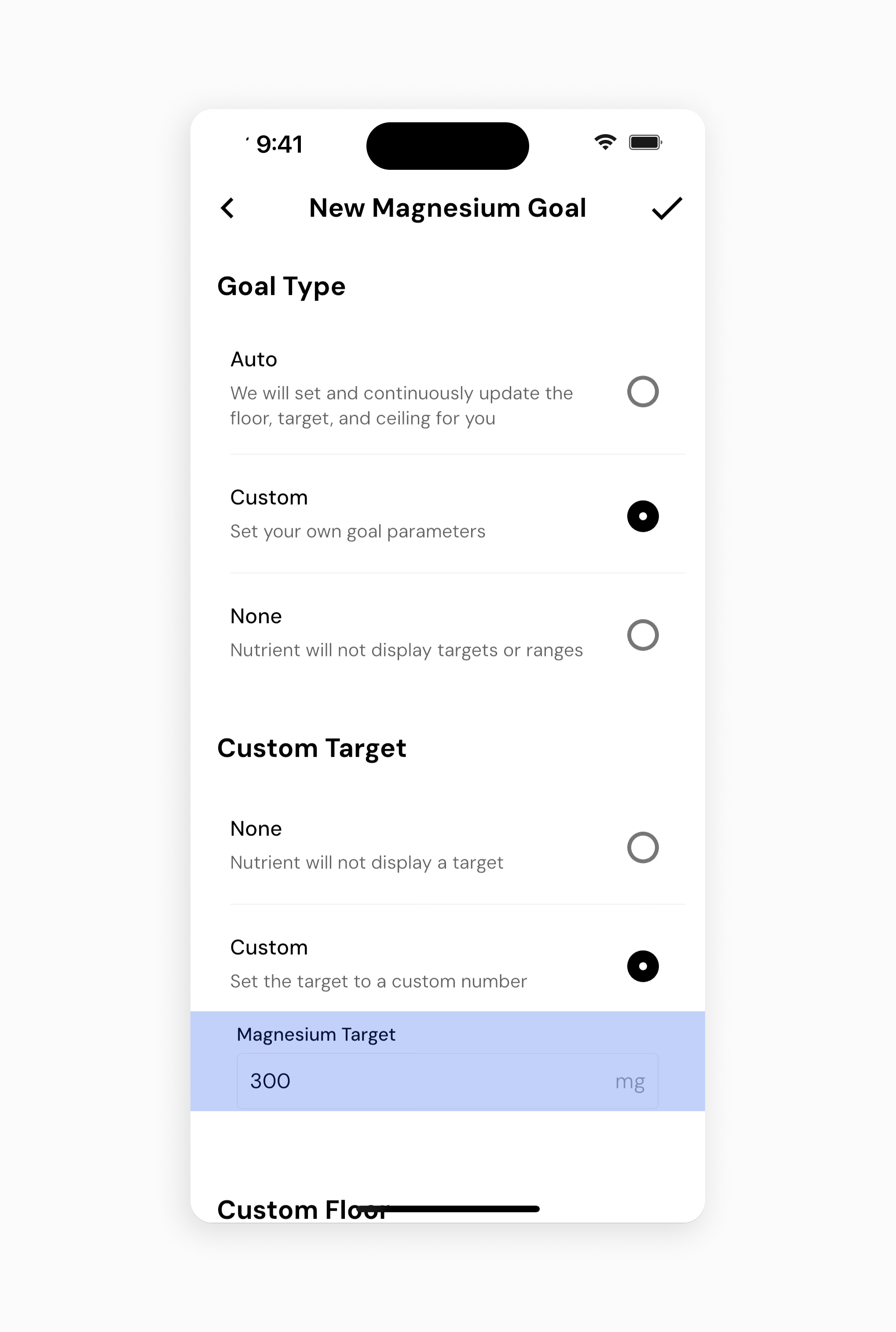 Enlarge ↗Original image ↗
Custom nutrient goal
Help screenshot
- Auto, Custom and None are explicit goal modes.
- Target field is independently configured from other bounds.
Image limitations & provenance
Official vendor-help composite/device-framed image, not our device capture; version/date unknown; no interaction tested.
Official image context ↗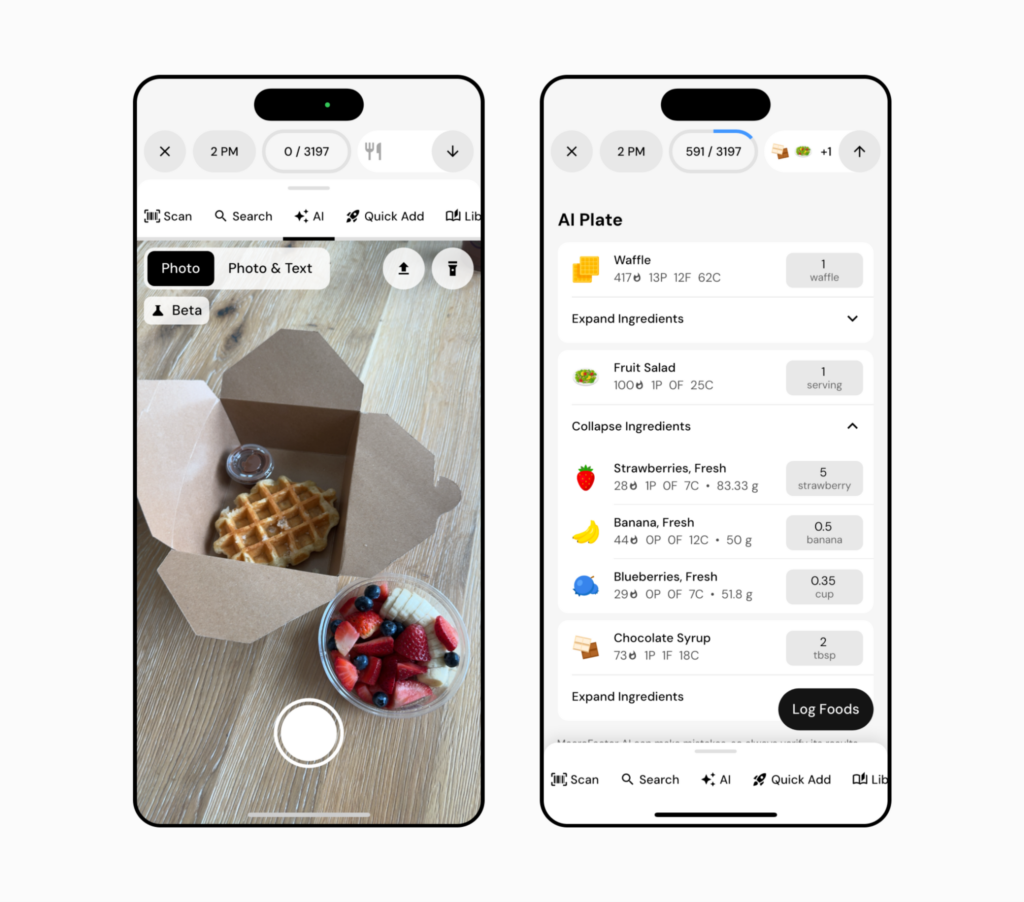 Enlarge ↗Original image ↗
Legacy photo-to-plate example
Help screenshot
- Camera view and editable ingredient plate are shown side by side.
- Expanded fruit ingredients expose individual portions.
Image limitations & provenance
Official vendor-help composite/device-framed image, not our device capture; version/date unknown; no interaction tested. Legacy Photo / Photo & Text UI and Beta badge; May 2026 update documents Snap / Describe instead.
Official image context ↗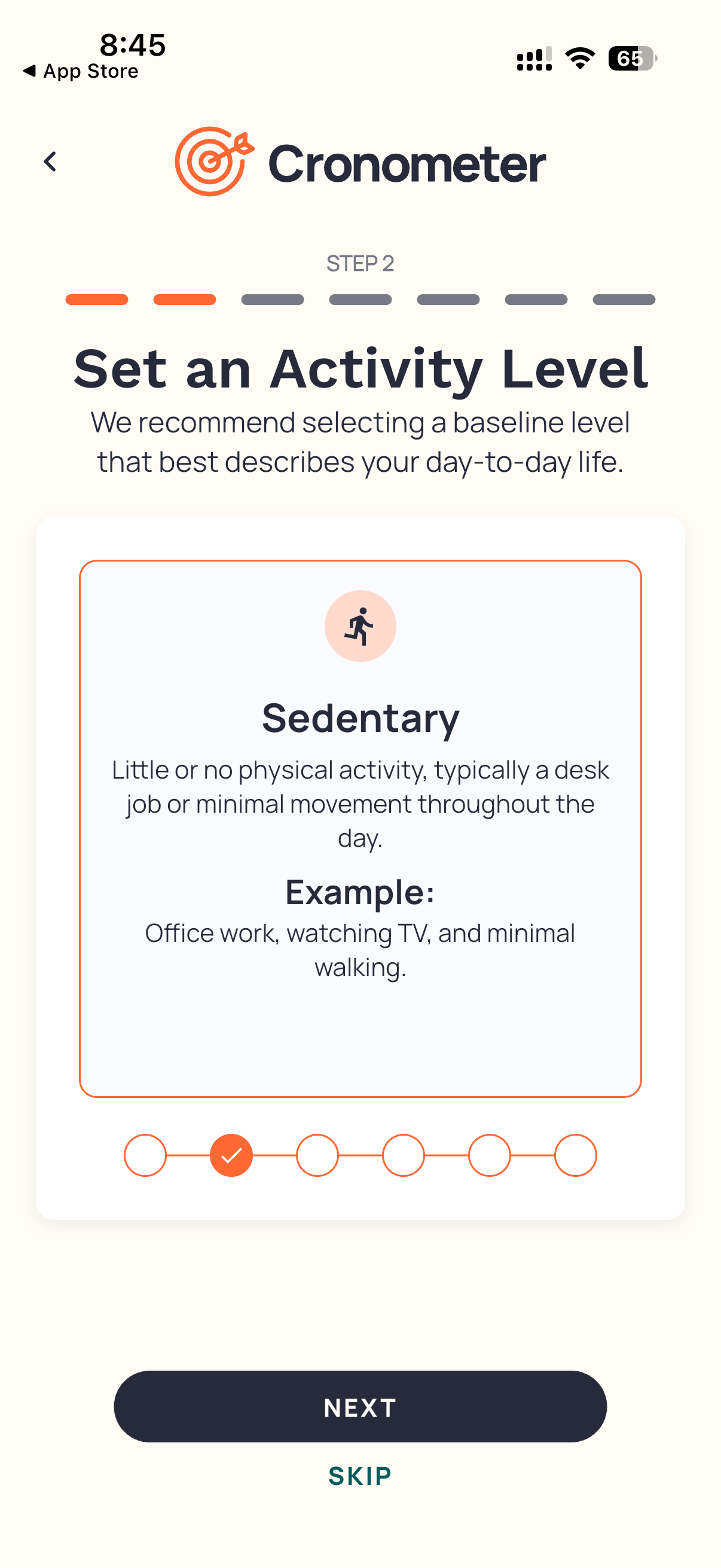 Enlarge ↗Original image ↗
Activity-level onboarding
Help screenshot
- Step indicator and activity slider contextualize setup.
- Next is dominant; Skip remains visible.
Image limitations & provenance
Official demonstration asset, not our session. Existing red annotations are publisher-added. Article update does not date the UI.
Official image context ↗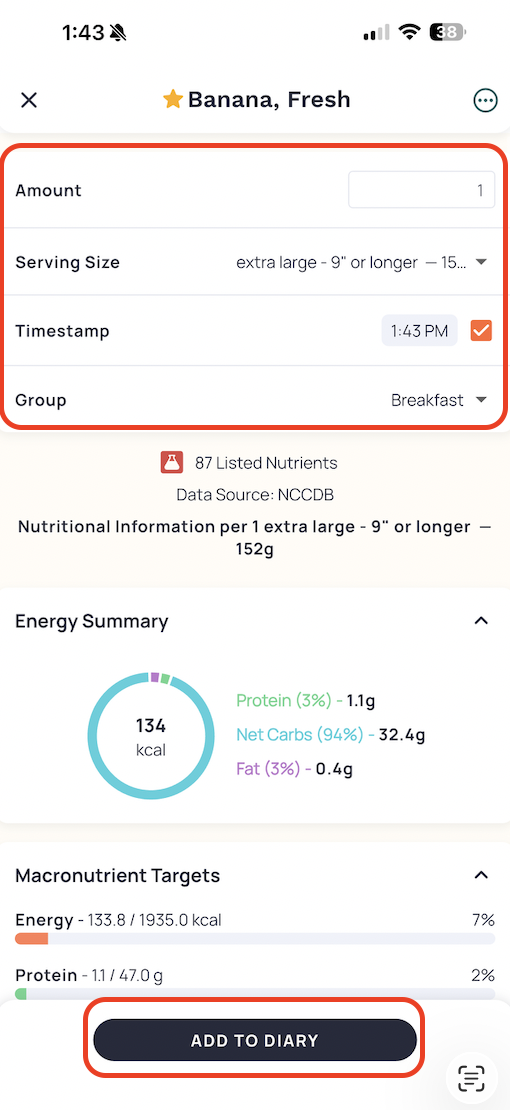 Enlarge ↗Original image ↗
Food serving detail
Help screenshot
- Serving fields sit above source and nutrient detail.
- Star and fixed bottom commit button are visible.
Image limitations & provenance
Official demonstration asset, not our session. Existing red annotations are publisher-added. Article update does not date the UI.
Official image context ↗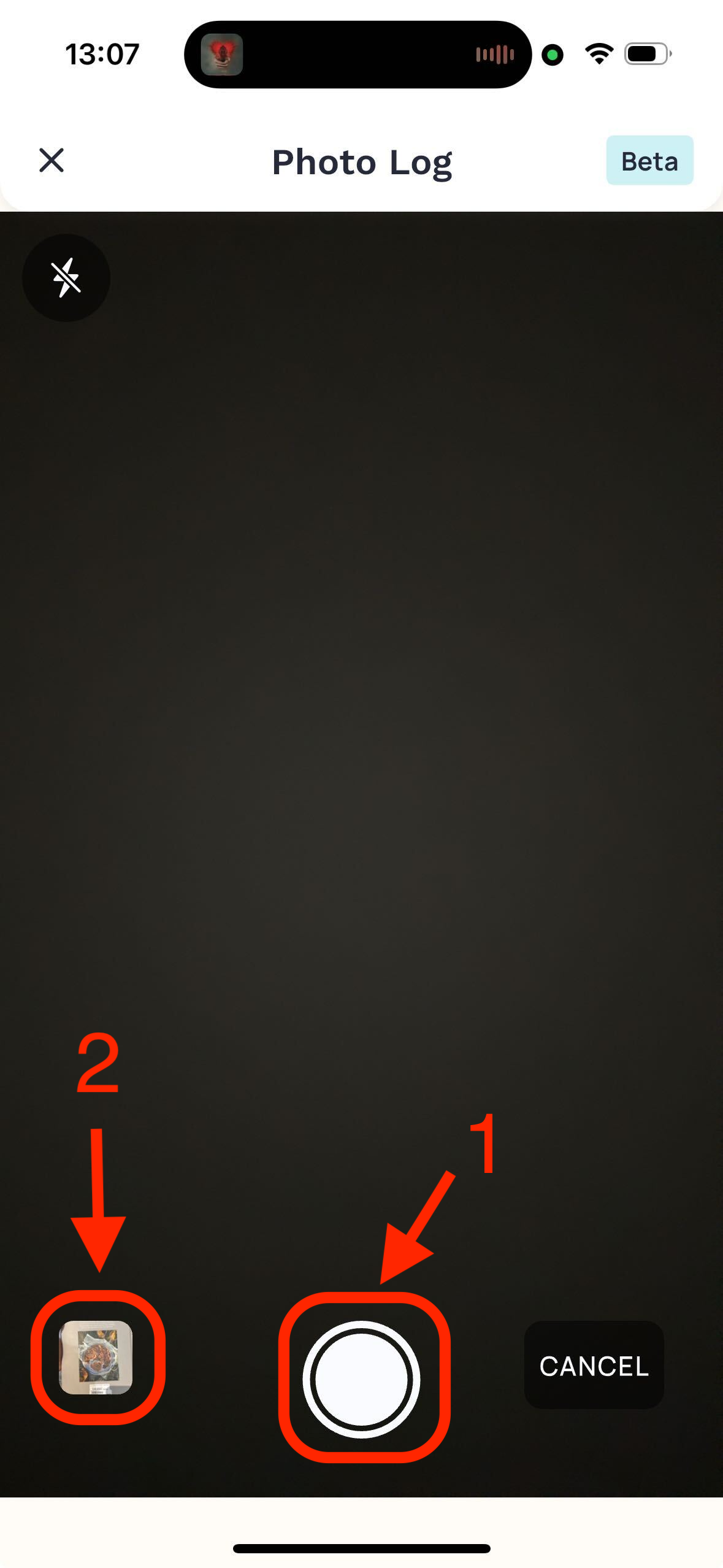 Enlarge ↗Original image ↗
Photo capture
Help screenshot
- Camera offers shutter and library choices.
- Beta badge and source-added red arrows are visible.
Image limitations & provenance
Official demonstration asset, not our session. Existing red annotations are publisher-added. Article update does not date the UI.
Official image context ↗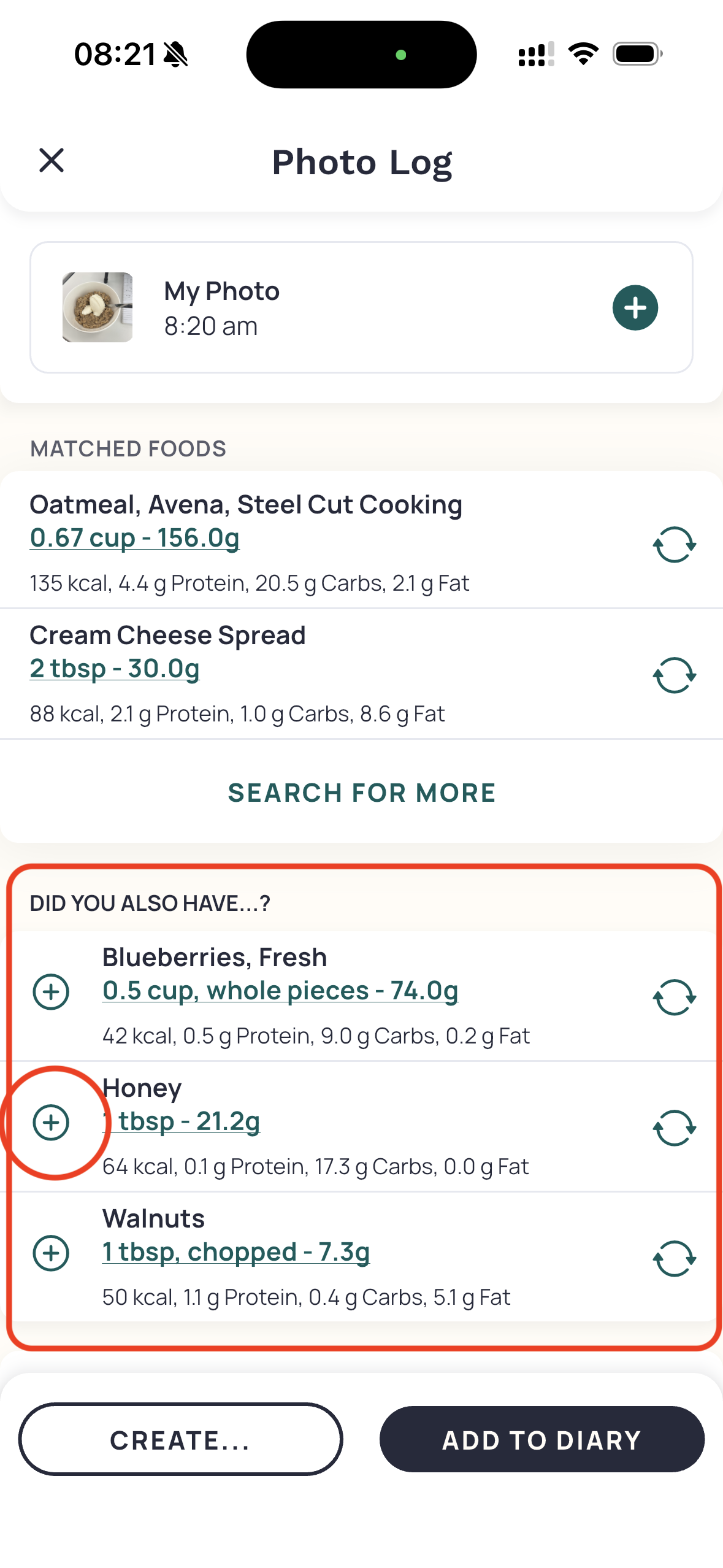 Enlarge ↗Original image ↗
Photo review and extra ingredients
Help screenshot
- Matches and optional suggested ingredients are separate.
- Create and Add to Diary offer distinct endpoints.
Image limitations & provenance
Official demonstration asset, not our session. Existing red annotations are publisher-added. Article update does not date the UI.
Official image context ↗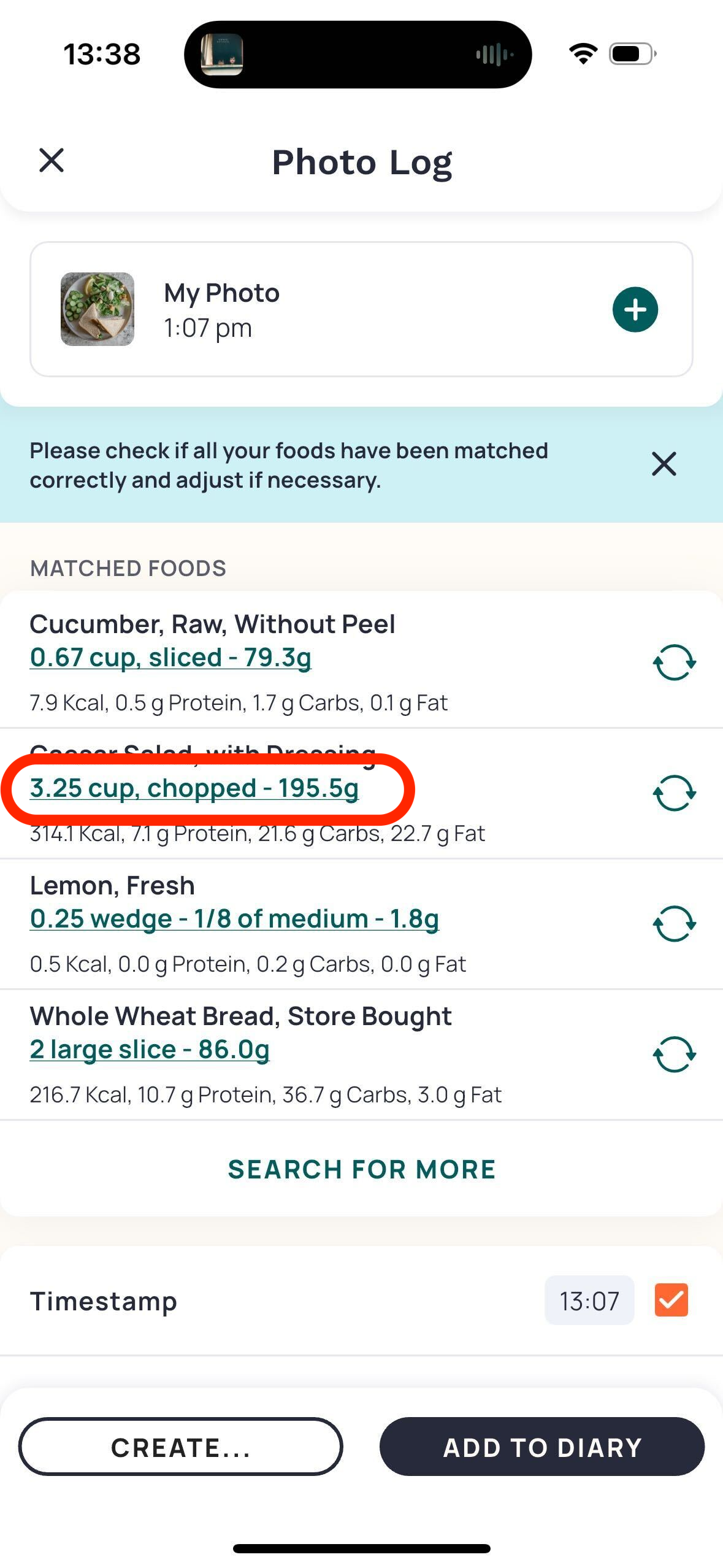 Enlarge ↗Original image ↗
Photo portion correction affordance
Help screenshot
- Underlined serving values and swap icons repeat per row.
- Source red oval emphasizes an editable serving.
Image limitations & provenance
Official demonstration asset, not our session. Existing red annotations are publisher-added. Article update does not date the UI.
Official image context ↗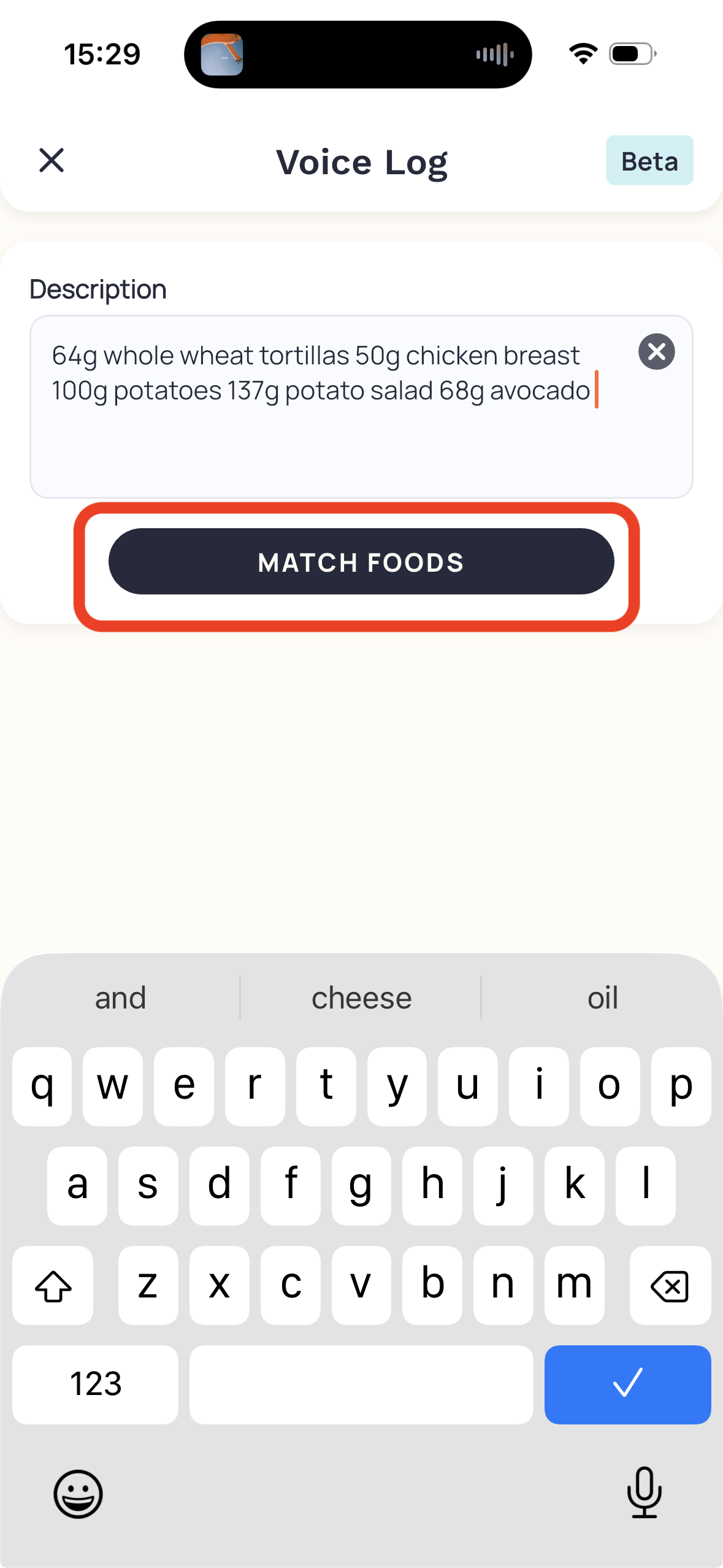 Enlarge ↗Original image ↗
Typed Voice Log input
Help screenshot
- Typed description and keyboard precede Match Foods.
- Beta badge appears in this source asset.
Image limitations & provenance
Official demonstration asset, not our session. Existing red annotations are publisher-added. Article update does not date the UI.
Official image context ↗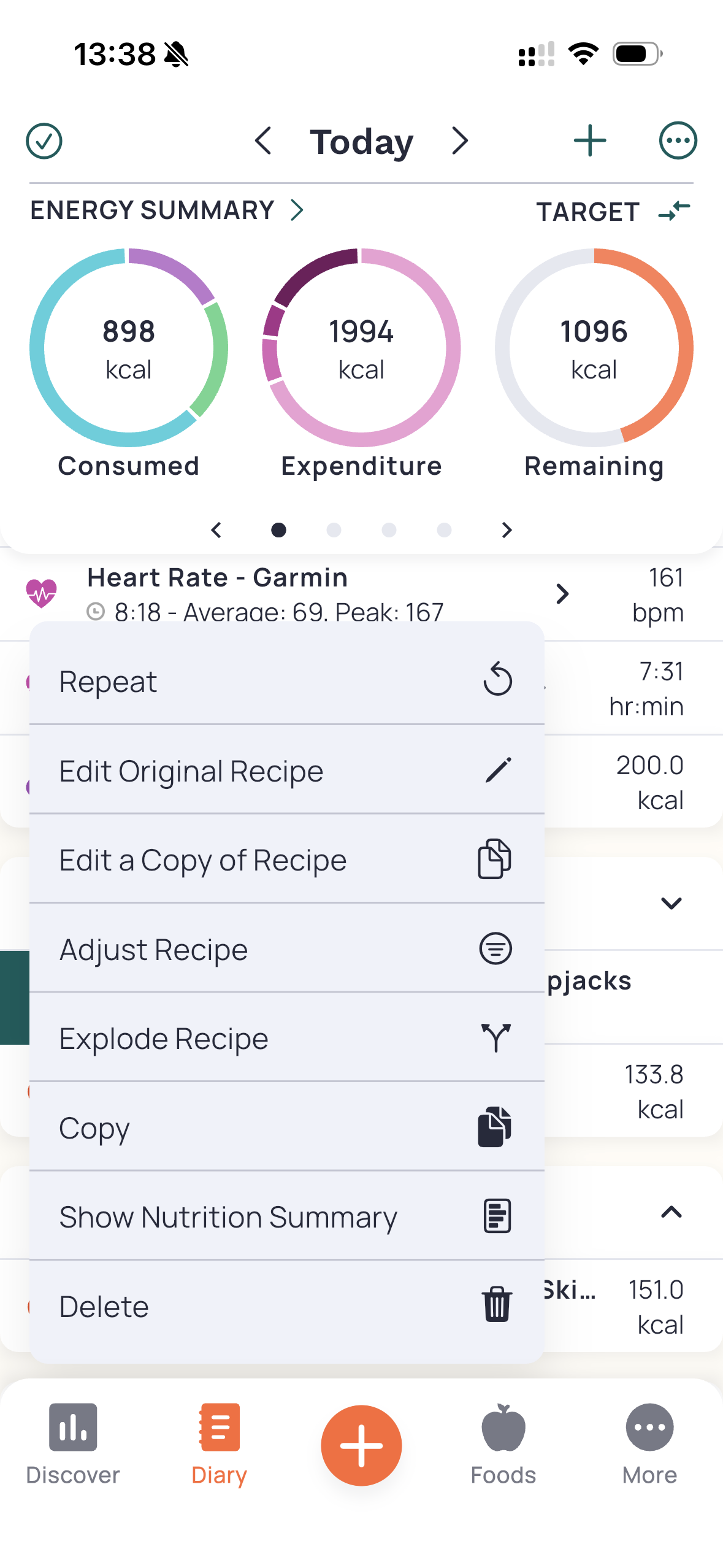 Enlarge ↗Original image ↗
Recipe correction menu in diary
Help screenshot
- Original, copy, adjust and explode coexist in one menu.
- Consumed/expenditure/remaining rings stay visible behind it.
Image limitations & provenance
Official demonstration asset, not our session. Existing red annotations are publisher-added. Article update does not date the UI.
Official image context ↗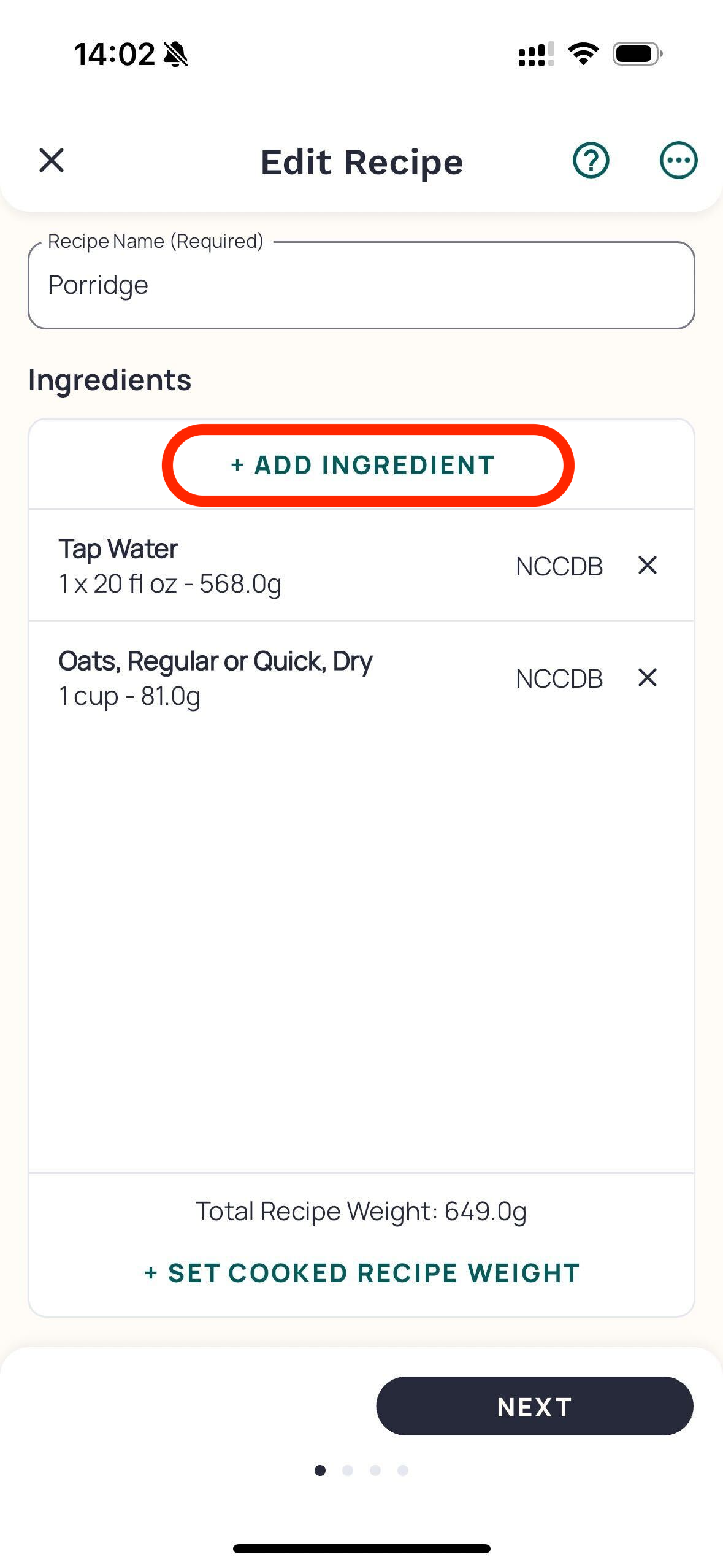 Enlarge ↗Original image ↗
Recipe ingredient editor
Help screenshot
- Ingredients expose portions and database provenance.
- Cooked-weight action sits above fixed Next.
Image limitations & provenance
Official demonstration asset, not our session. Existing red annotations are publisher-added. Article update does not date the UI.
Official image context ↗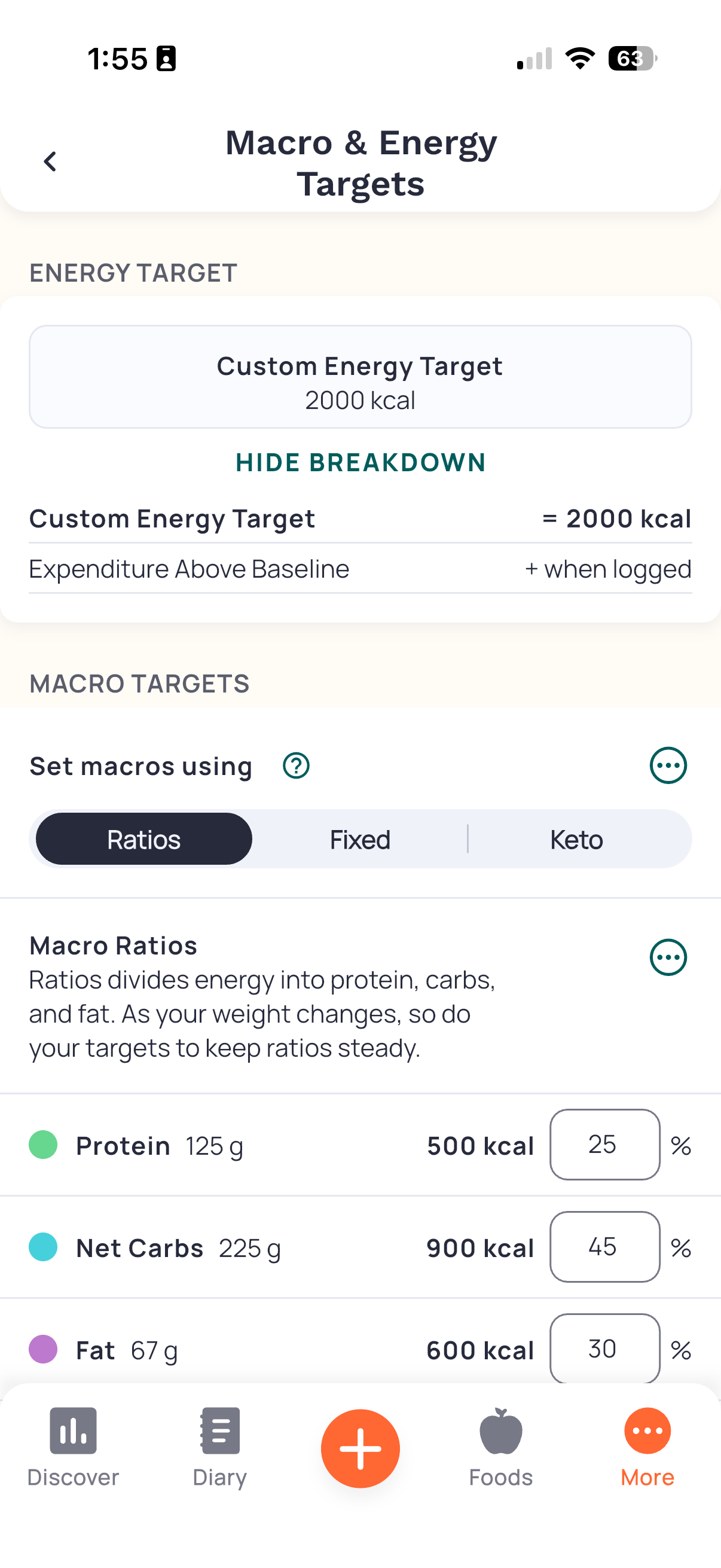 Enlarge ↗Original image ↗
Energy and macro target settings
Help screenshot
- Expanded calculation sits above Ratios/Fixed/Keto selector.
- Percent inputs display corresponding grams and calories.
Image limitations & provenance
Official demonstration asset, not our session. Existing red annotations are publisher-added. Article update does not date the UI.
Official image context ↗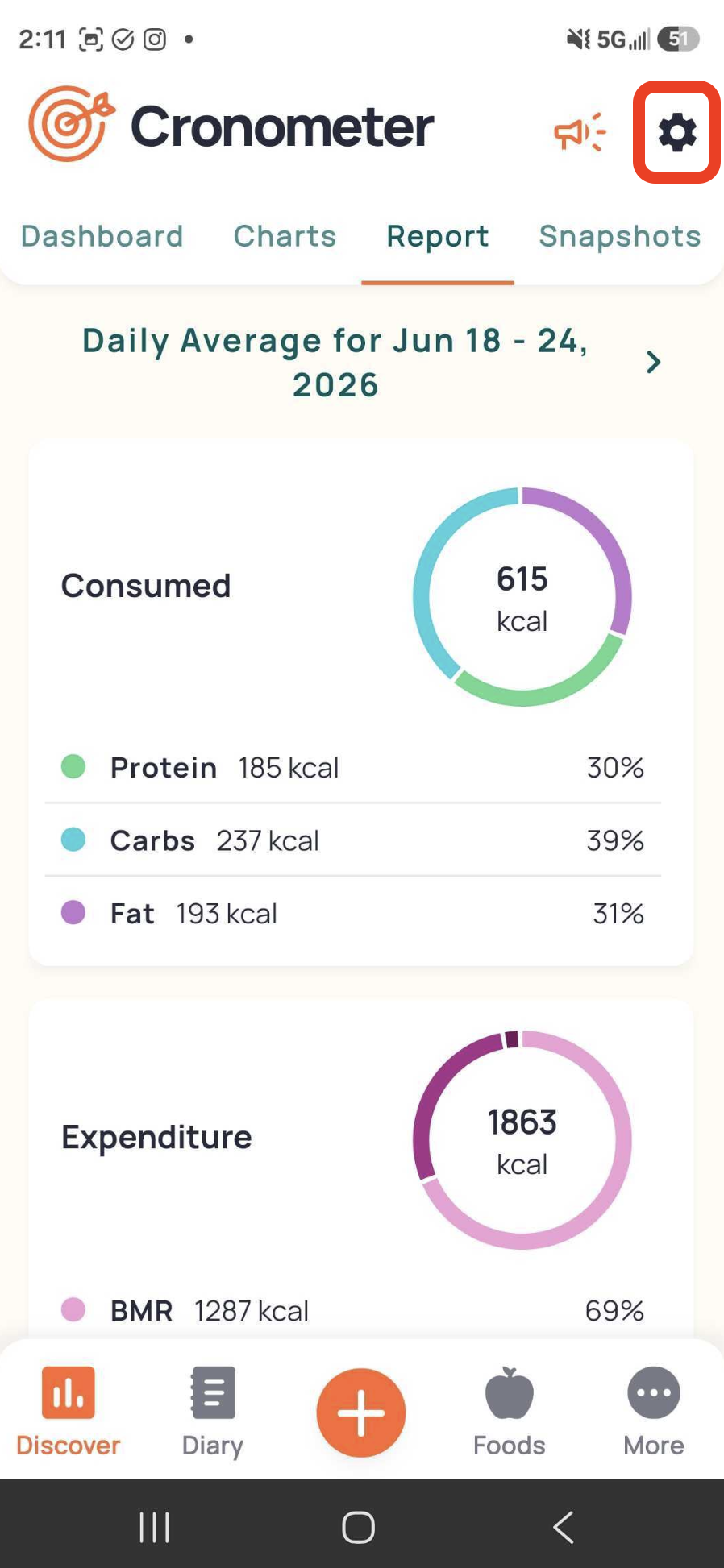 Enlarge ↗Original image ↗
Period nutrition report
Help screenshot
- Discover has Dashboard, Charts, Report and Snapshots tabs.
- Period averages use the same ring vocabulary as diary.
Image limitations & provenance
Official demonstration asset, not our session. Existing red annotations are publisher-added. Article update does not date the UI.
Official image context ↗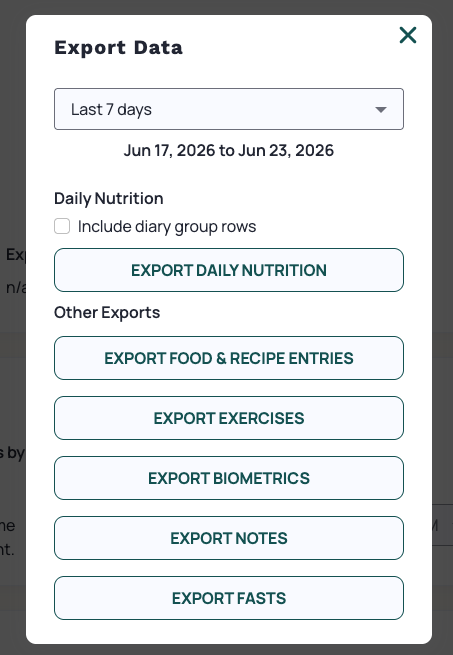 Enlarge ↗Original image ↗
Web export dialog
Help screenshot
- Separate export buttons distinguish records from daily summaries.
- Optional meal-group rows are unchecked in the example.
Image limitations & provenance
Official demonstration asset, not our session. Existing red annotations are publisher-added. Article update does not date the UI.
Official image context ↗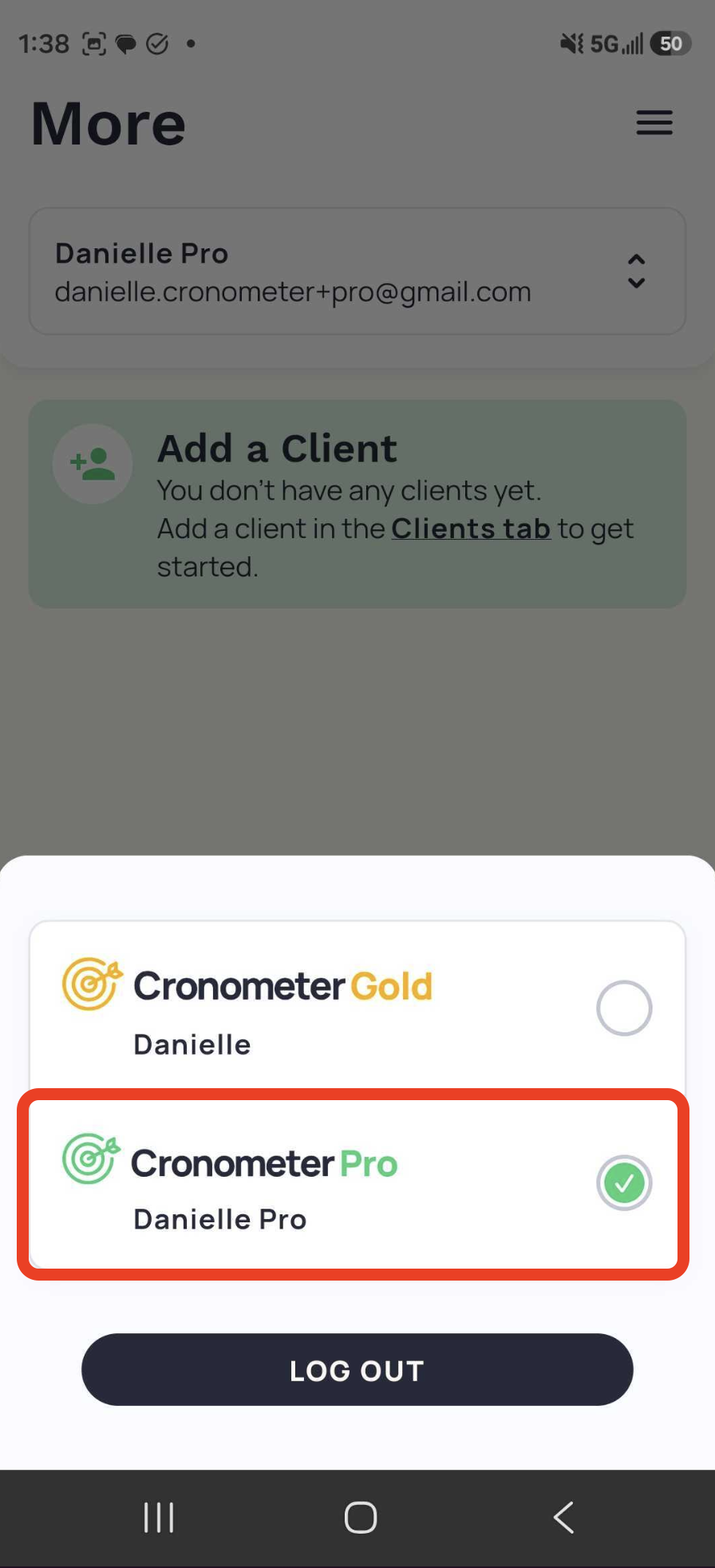 Enlarge ↗Original image ↗
Pro profile switcher
Help screenshot
- Bottom sheet separates personal Gold from Pro.
- Pro selected; empty-client prompt behind sheet.
Image limitations & provenance
Official demonstration asset, not our session. Existing red annotations are publisher-added. Article update does not date the UI.
Official image context ↗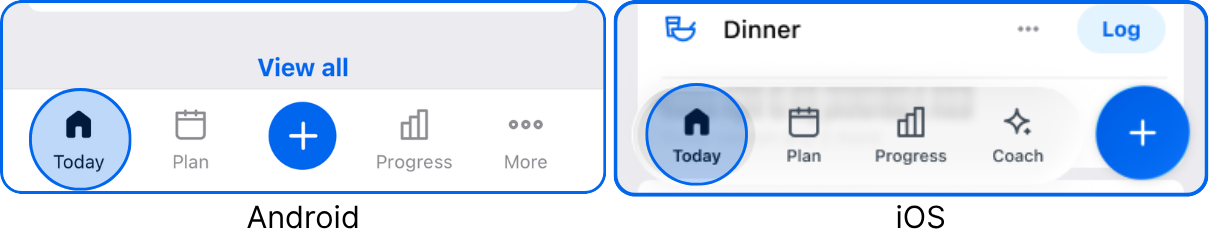 Enlarge ↗Original image ↗
Refreshed platform navigation
Help screenshot
- Android includes More and centered plus; iOS includes Coach and right-side plus.
- Blue outlines are vendor annotations, not controls.
Image limitations & provenance
Official help screenshot/crop, often pre-annotated. Not a capture of our app session. Article refresh date does not date the UI. No hands-on behavior verified.
Official image context ↗ Enlarge ↗Original image ↗
Meal-level Log versus global plus
Help screenshot
- Meal card summarizes foods and offers a nearby Log action.
- Global plus offers an alternative entry; image combines separate crops.
Image limitations & provenance
Official help screenshot/crop, often pre-annotated. Not a capture of our app session. Article refresh date does not date the UI. No hands-on behavior verified.
Official image context ↗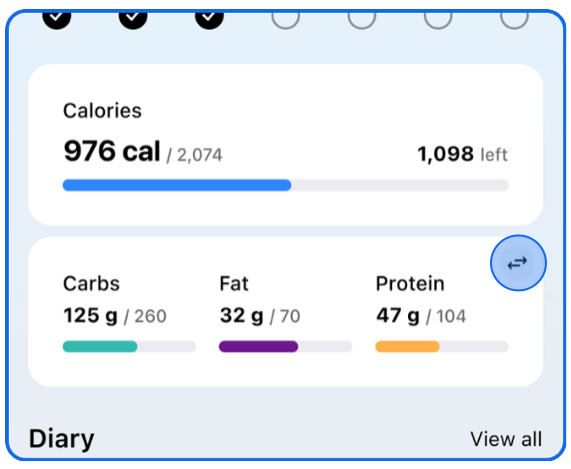 Enlarge ↗Original image ↗
Calories and macro summary
Help screenshot
- Calories show consumed, target and remaining with horizontal progress.
- Carbs teal, fat purple and protein amber use separate bars; toggle sits top-right.
Image limitations & provenance
Official help screenshot/crop, often pre-annotated. Not a capture of our app session. Article refresh date does not date the UI. No hands-on behavior verified.
Official image context ↗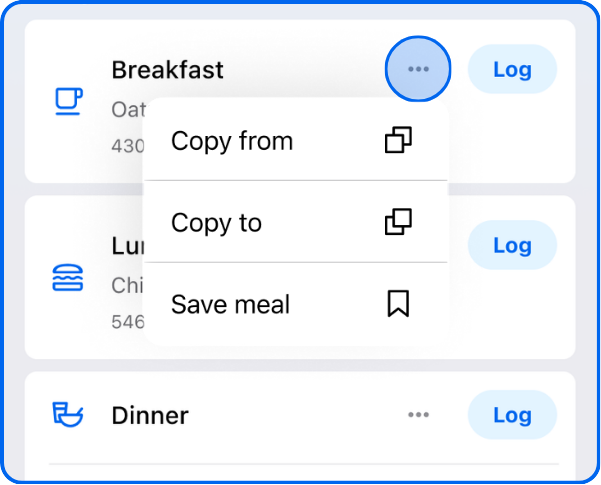 Enlarge ↗Original image ↗
Meal overflow reuse actions
Help screenshot
- Menu exposes Copy from, Copy to and Save meal.
- Meal Log remains visible behind the menu.
Image limitations & provenance
Official help screenshot/crop, often pre-annotated. Not a capture of our app session. Article refresh date does not date the UI. No hands-on behavior verified.
Official image context ↗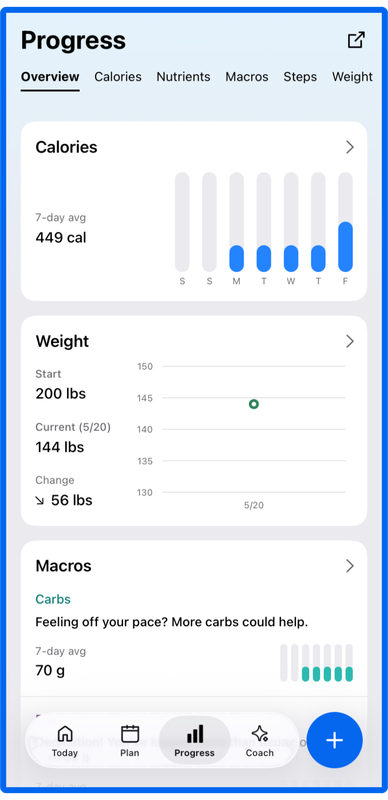 Enlarge ↗Original image ↗
Progress Overview
Help screenshot
- Overview, Calories, Nutrients, Macros, Steps and Weight form a top category strip.
- Stacked cards combine weekly calorie bars, weight chart and macro guidance; data are demo values.
Image limitations & provenance
Official help screenshot/crop, often pre-annotated. Not a capture of our app session. Article refresh date does not date the UI. No hands-on behavior verified.
Official image context ↗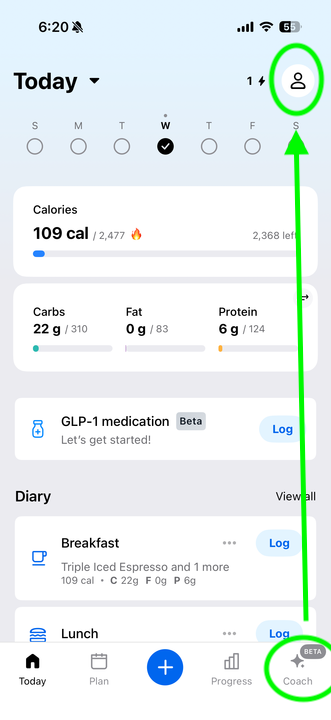 Enlarge ↗Original image ↗
Today with profile relocation
Help screenshot
- Profile icon top-right replaces More when Coach occupies bottom navigation.
- This image retains a centered plus unlike newer floating-right navigation crops.
Image limitations & provenance
Official help screenshot/crop, often pre-annotated. Not a capture of our app session. Article refresh date does not date the UI. No hands-on behavior verified.
Official image context ↗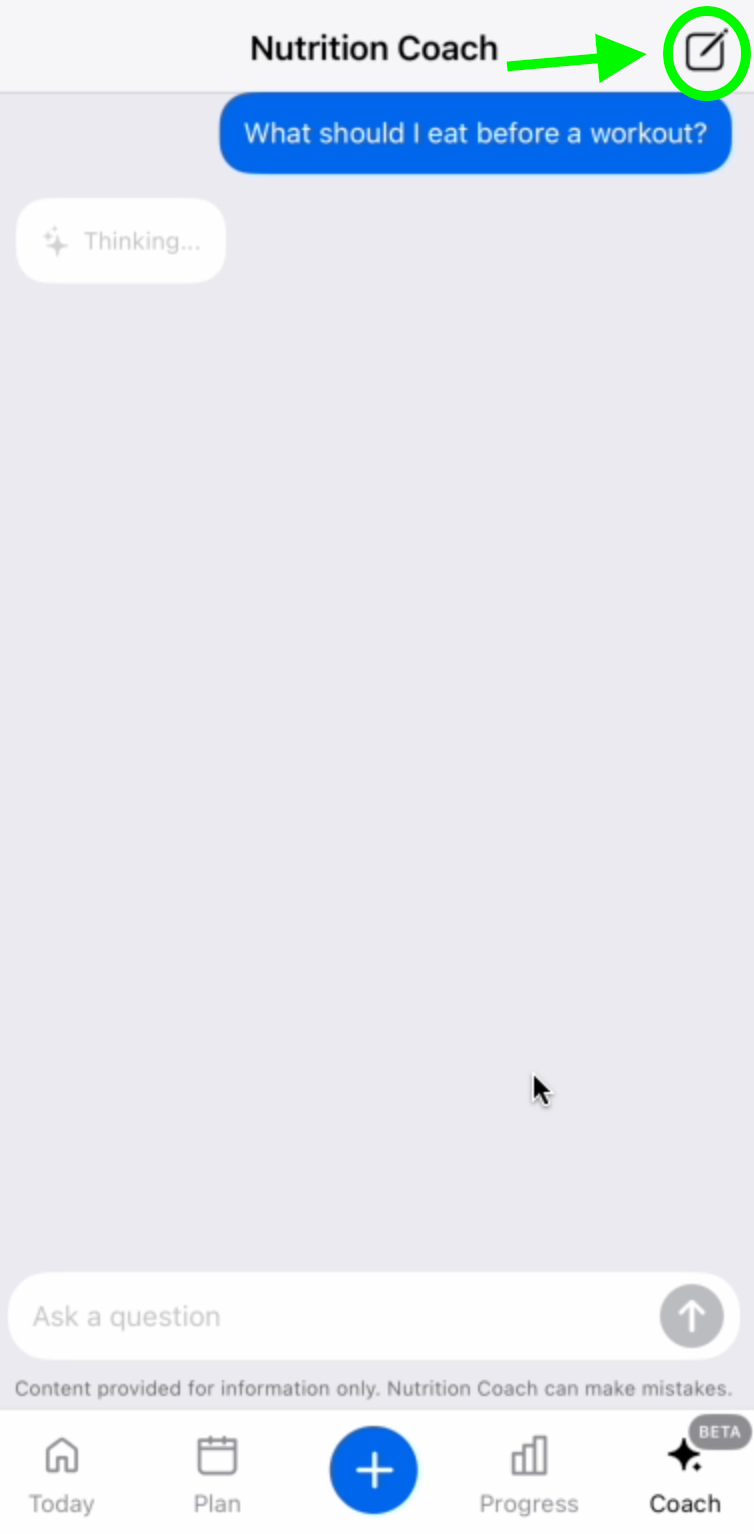 Enlarge ↗Original image ↗
Coach conversation and waiting state
Help screenshot
- User bubble, Thinking state, question composer and send button are visible.
- Vendor green arrow highlights new-conversation pencil; footer warns AI can make mistakes.
Image limitations & provenance
Official help screenshot/crop, often pre-annotated. Not a capture of our app session. Article refresh date does not date the UI. No hands-on behavior verified.
Official image context ↗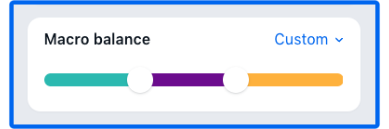 Enlarge ↗Original image ↗
Custom macro-balance slider
Help screenshot
- Custom dropdown and two handles partition a tri-color bar.
- Crop excludes numeric values, save control and full goal screen.
Image limitations & provenance
Official help screenshot/crop, often pre-annotated. Not a capture of our app session. Article refresh date does not date the UI. No hands-on behavior verified.
Official image context ↗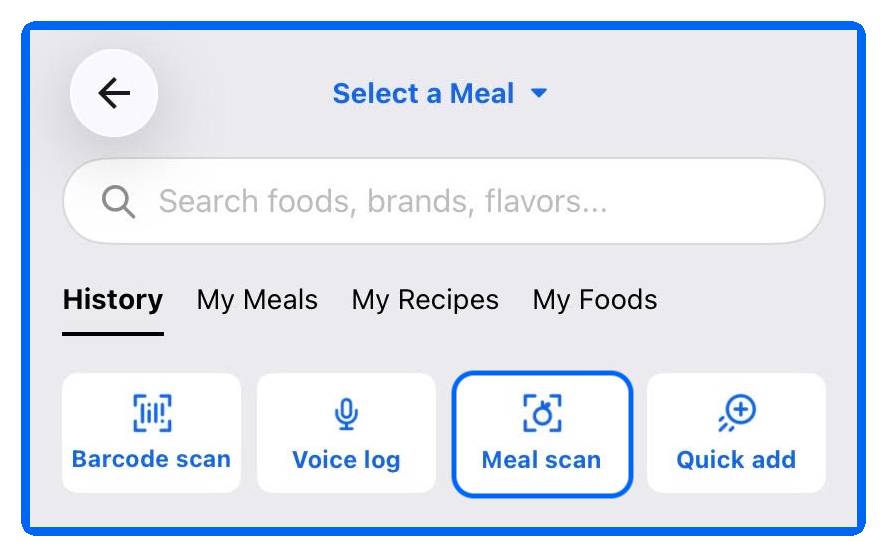 Enlarge ↗Original image ↗
iOS food-entry hub
Help screenshot
- Meal selector precedes search and History/My Meals/My Recipes/My Foods tabs.
- Four tiles expose barcode, voice, meal scan and Quick Add; highlighted Meal Scan is vendor annotation.
Image limitations & provenance
Official help screenshot/crop, often pre-annotated. Not a capture of our app session. Article refresh date does not date the UI. No hands-on behavior verified.
Official image context ↗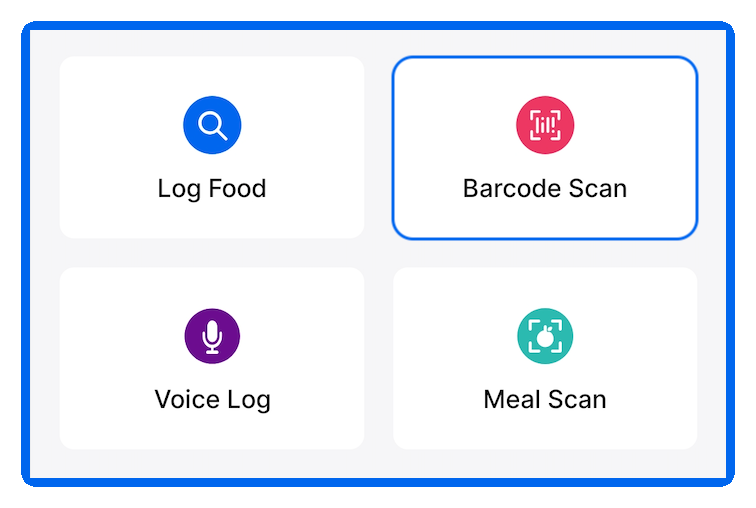 Enlarge ↗Original image ↗
Android add-method tiles
Help screenshot
- Two-by-two grid separates Log Food, Barcode Scan, Voice Log and Meal Scan.
- Colored circular icons differentiate methods; no actual scanner camera/result is shown.
Image limitations & provenance
Official help screenshot/crop, often pre-annotated. Not a capture of our app session. Article refresh date does not date the UI. No hands-on behavior verified.
Official image context ↗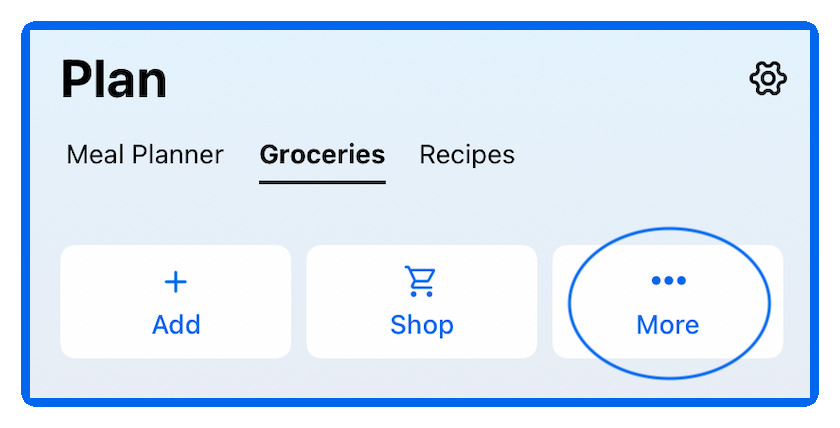 Enlarge ↗Original image ↗
Plan grocery controls
Help screenshot
- Groceries sits beside Meal Planner and Recipes.
- Add, Shop and More are large actions; gear is upper-right. No grocery contents are visible.
Image limitations & provenance
Official help screenshot/crop, often pre-annotated. Not a capture of our app session. Article refresh date does not date the UI. No hands-on behavior verified.
Official image context ↗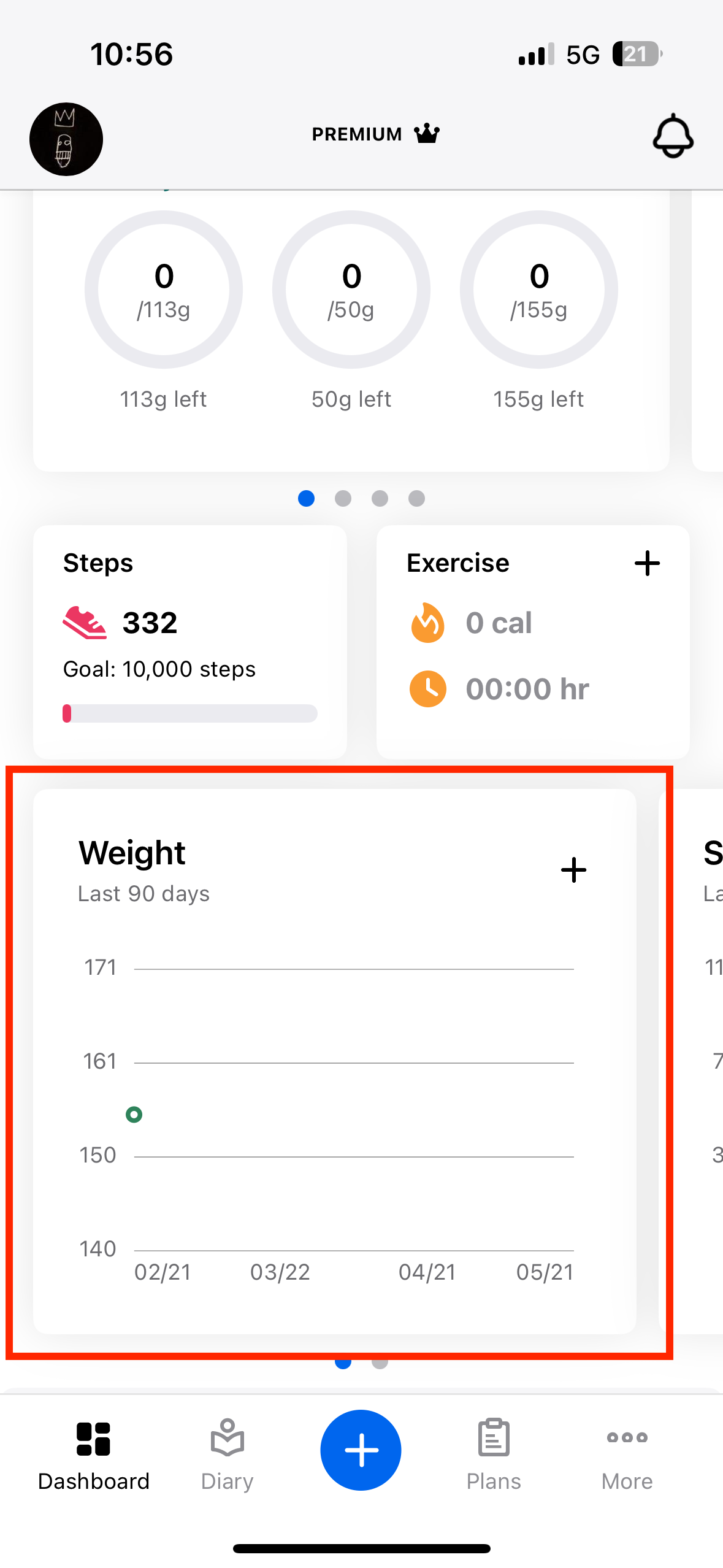 Enlarge ↗Original image ↗
Legacy Dashboard weight card
Help screenshot
- Bottom tabs say Dashboard, Diary, plus, Plans, More—not refreshed Today/Progress.
- Ring-style macro presentation and weight card illustrate legacy layout; red box is vendor annotation.
Image limitations & provenance
Official help screenshot/crop, often pre-annotated. Not a capture of our app session. Article refresh date does not date the UI. Historical layout, explicitly not current Today.
Official image context ↗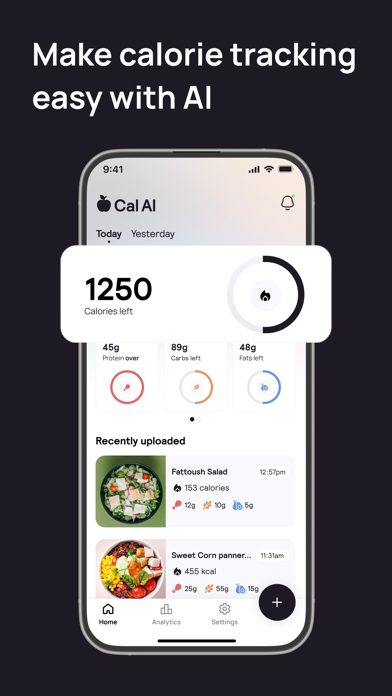 Enlarge ↗Original image ↗
Daily calorie dashboard
Store marketing · not a native capture
- Calories-left ring dominates the top; protein/carbs/fats use separate small rings.
- Photo-led recent entries include times and macros.
- Home, Analytics, Settings and a prominent plus control are visible.
Image limitations & provenance
Vendor marketing artwork, not our native capture. Exact runtime, feature entitlement and intervening screens untested. Annotated derivative: assets/calai-v01-annotated.jpg
Official image context ↗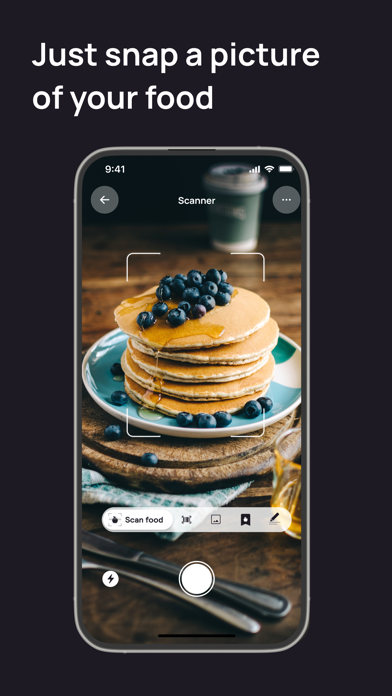 Enlarge ↗Original image ↗
Photo scanner
Store marketing · not a native capture
- Food is framed in the camera preview.
- A bottom mode strip includes Scan food and several icons without full labels.
- Back, overflow, flash and shutter controls are visible.
Image limitations & provenance
Vendor marketing artwork, not our native capture. Exact runtime, feature entitlement and intervening screens untested. Annotated derivative: assets/calai-v02-annotated.jpg
Official image context ↗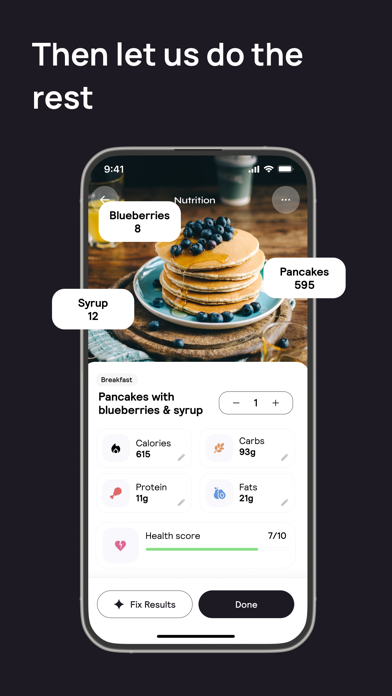 Enlarge ↗Original image ↗
Nutrition result and correction
Store marketing · not a native capture
- A serving stepper and per-nutrient pencil icons allow visible correction affordances.
- Fix Results and Done are separate bottom actions.
- The ingredient callouts extending beyond the phone frame are promotional overlays.
Image limitations & provenance
Vendor marketing artwork, not our native capture. Exact runtime, feature entitlement and intervening screens untested. Annotated derivative: assets/calai-v03-annotated.jpg
Official image context ↗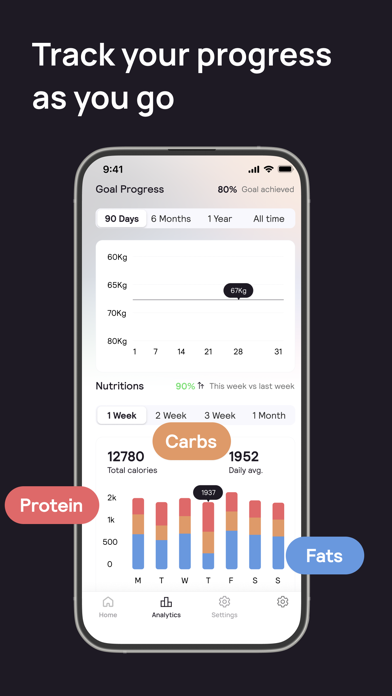 Enlarge ↗Original image ↗
Weight and nutrition analytics
Store marketing · not a native capture
- Goal chart and nutrition bars have separate date-range controls.
- Macro labels floating outside the device are marketing callouts.
- The bottom tab says Analytics rather than Progress.
Image limitations & provenance
Vendor marketing artwork, not our native capture. Exact runtime, feature entitlement and intervening screens untested. Annotated derivative: assets/calai-v04-annotated.jpg
Official image context ↗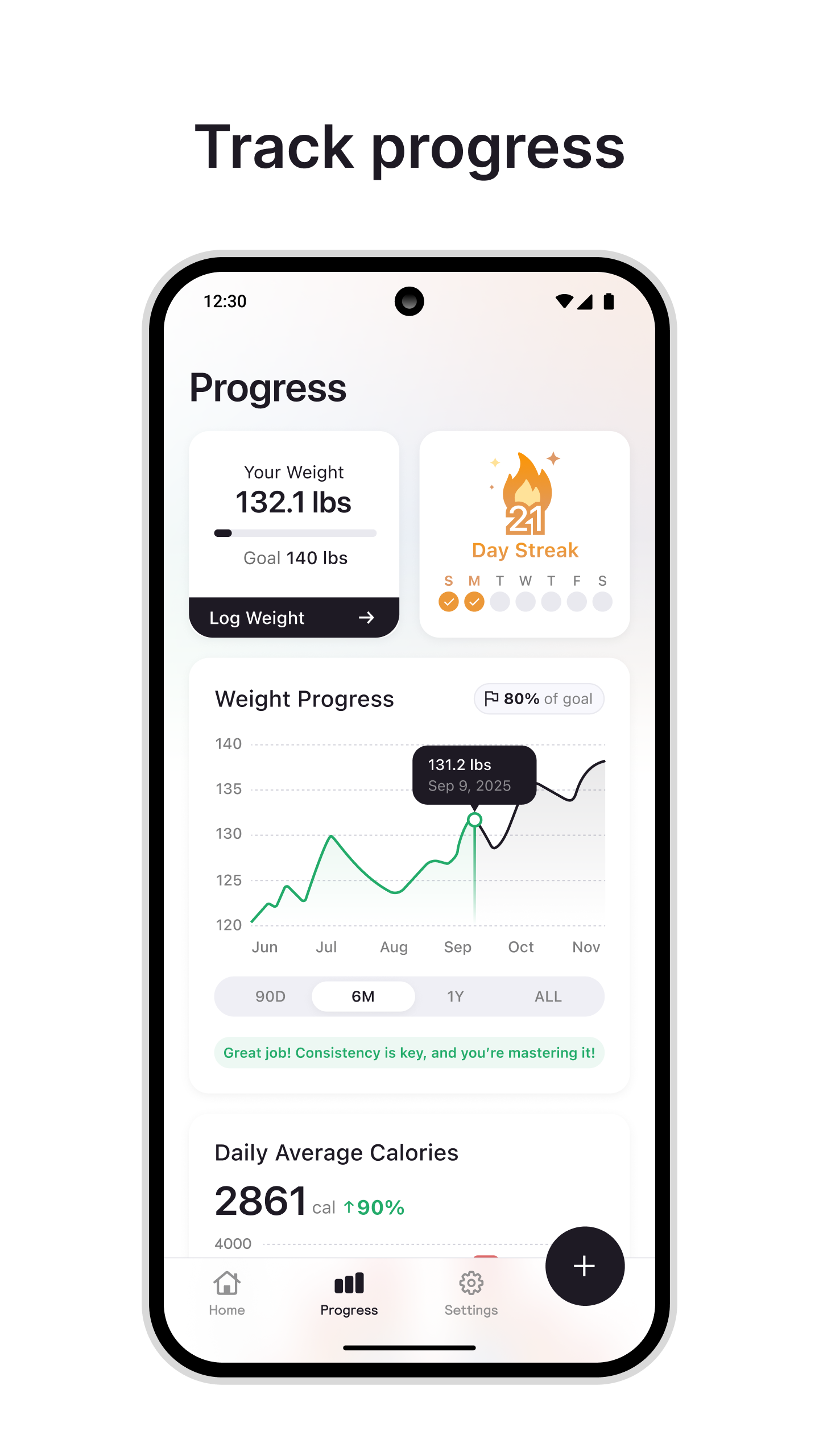 Enlarge ↗Original image ↗
Android-marketed progress dashboard
Store marketing · not a native capture
- Weight and day-streak cards precede the weight graph.
- Log Weight and 90D/6M/1Y/ALL controls are visible.
- Progress tab is selected; graph example dates are not screenshot capture dates.
Image limitations & provenance
Vendor marketing artwork, not our native capture. Exact runtime, feature entitlement and intervening screens untested. Annotated derivative: assets/calai-v05-annotated.jpg
Official image context ↗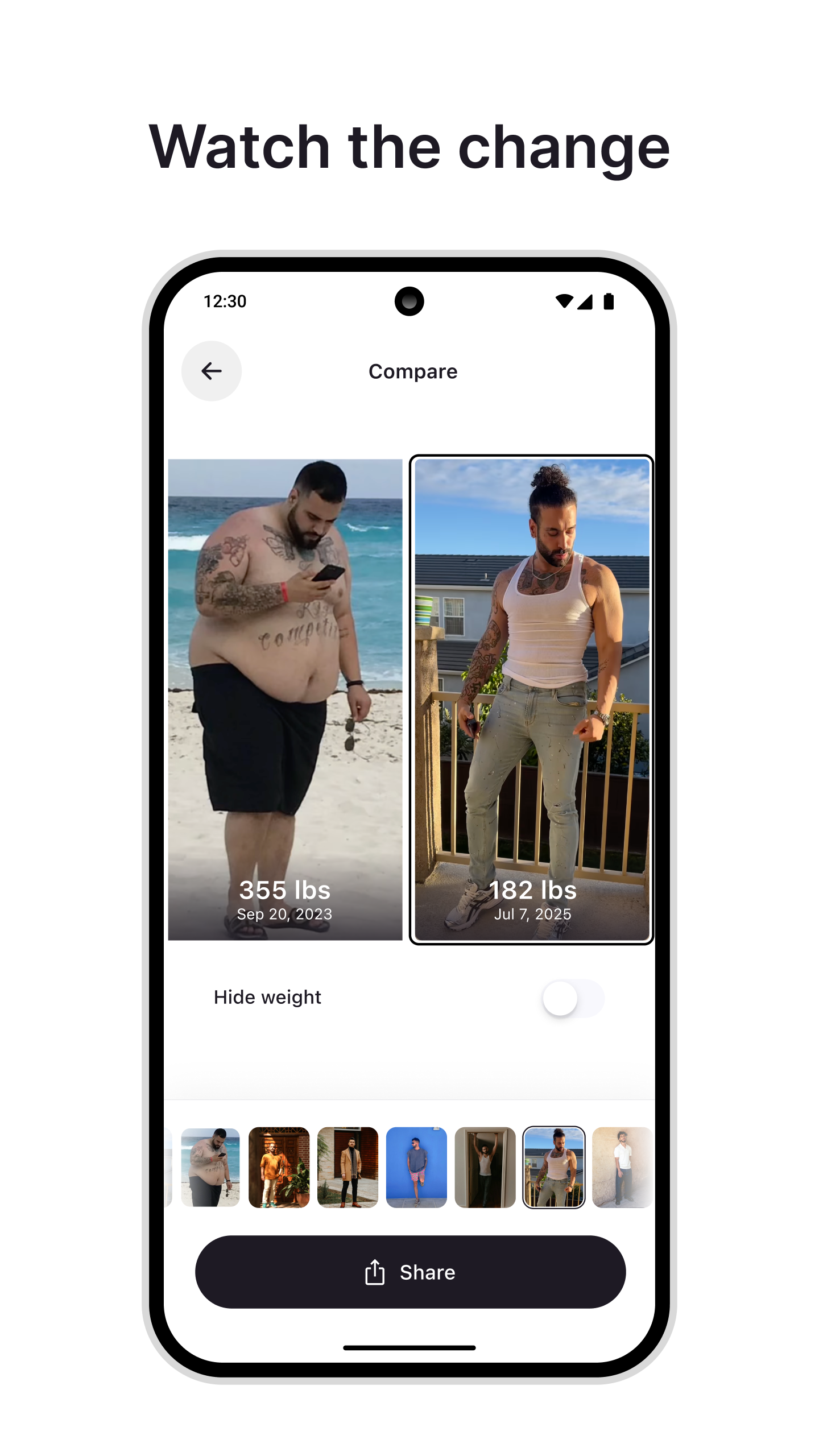 Enlarge ↗Original image ↗
Progress-photo comparison
Store marketing · not a native capture
- Two chosen photos appear side by side with weight and date overlays.
- A Hide weight switch and a thumbnail filmstrip are visible.
- Share is a large bottom action; share destination and default audience are unknown.
Image limitations & provenance
Vendor marketing artwork, not our native capture. Exact runtime, feature entitlement and intervening screens untested. Annotated derivative: assets/calai-v06-annotated.jpg
Official image context ↗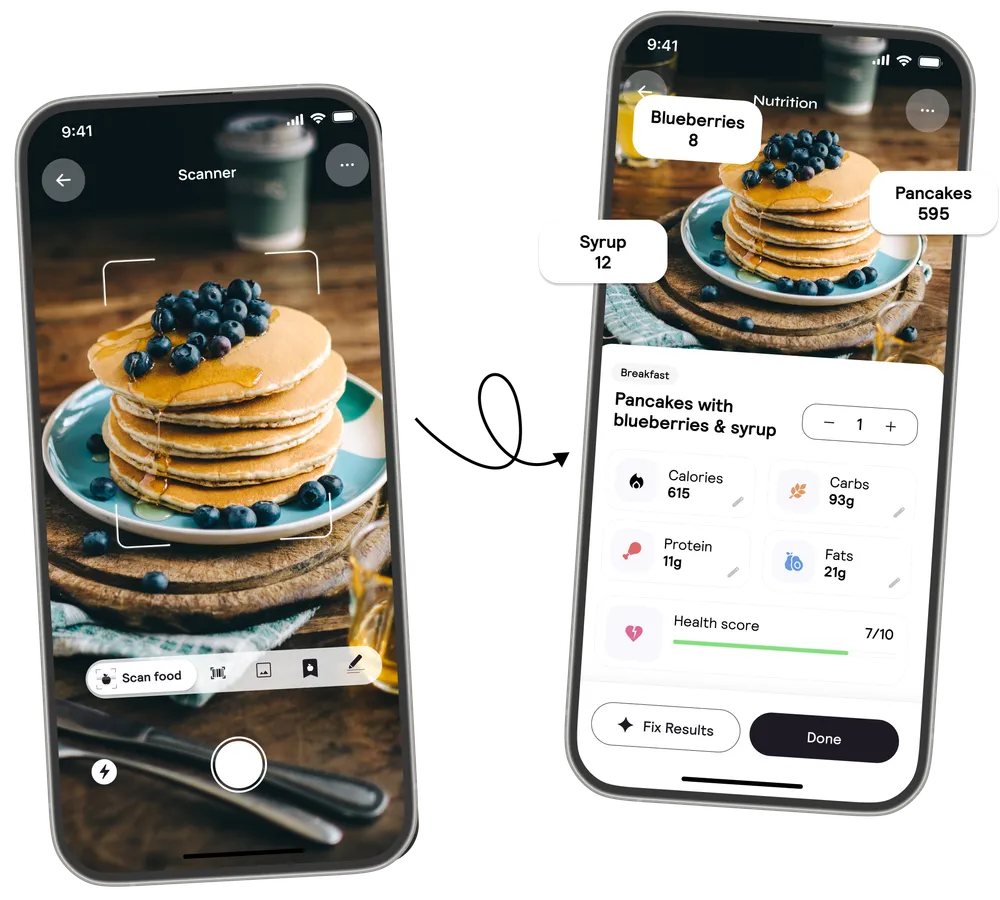 Enlarge ↗Original image ↗
Scanner-to-result marketing pair
Store marketing · not a native capture
- One image places scanner and nutrition result devices side by side.
- The matched pancake meal suggests an acquisition-to-breakdown story.
- No intermediate upload, latency or confirmation state is shown.
Image limitations & provenance
Vendor marketing artwork, not our native capture. Exact runtime, feature entitlement and intervening screens untested. Annotated derivative: assets/calai-v07-annotated.jpg
Official image context ↗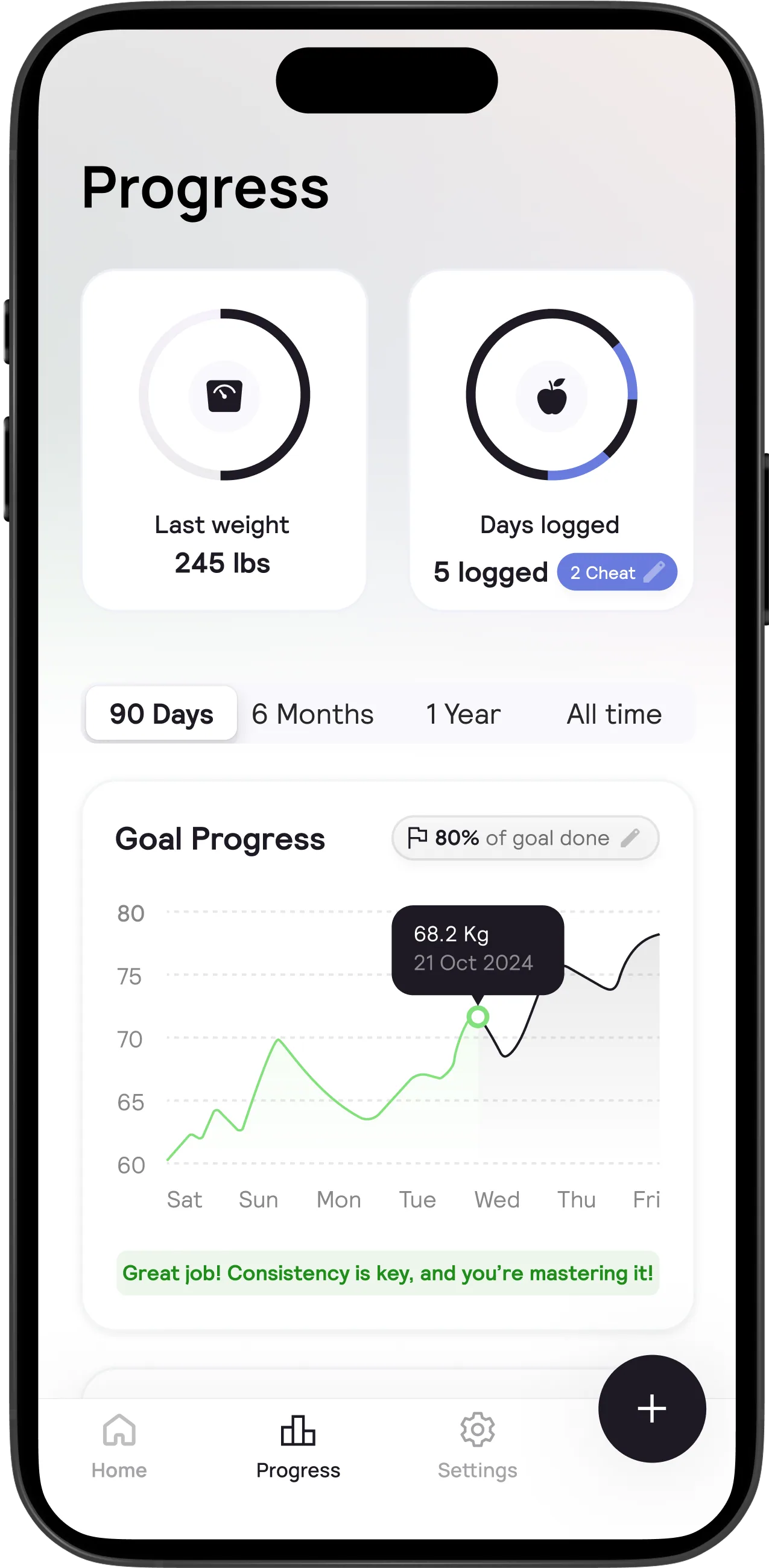 Enlarge ↗Original image ↗
Website progress design variant
Store marketing · not a native capture
- Last weight and Days logged cards sit above date filters.
- The depicted chart has a selected point tooltip and a goal-edit pencil.
- Cheat-day chip is visible; its calculation and semantics are undocumented.
Image limitations & provenance
Vendor marketing artwork, not our native capture. Exact runtime, feature entitlement and intervening screens untested. Annotated derivative: assets/calai-v08-annotated.jpg
Official image context ↗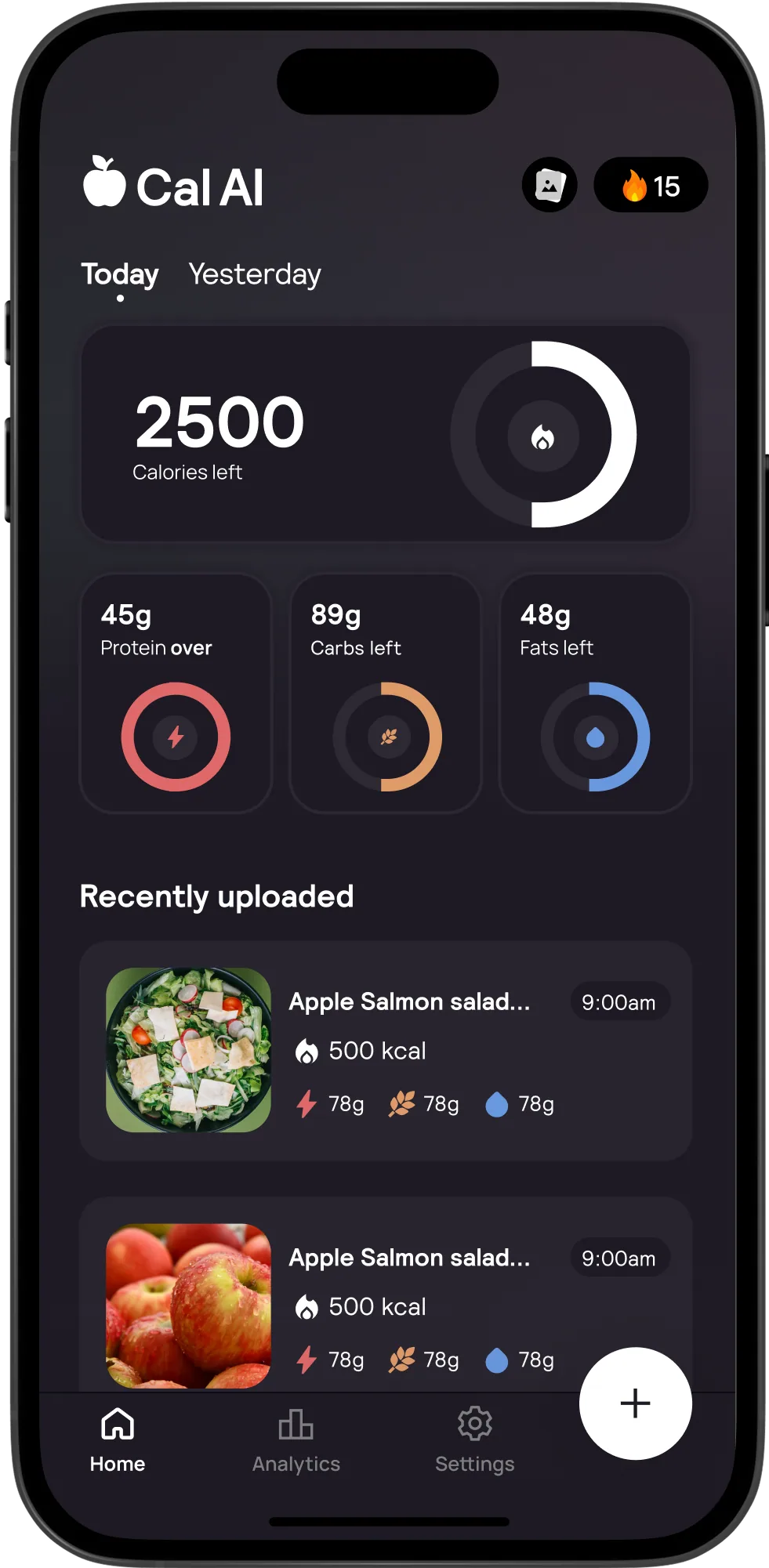 Enlarge ↗Original image ↗
Dark home design variant
Store marketing · not a native capture
- Dark surfaces preserve the large calorie ring and three macro cards.
- Recent entries remain image-led; plus becomes light against dark surfaces.
- Today/Yesterday navigation and Analytics tab differ from other supplied art.
Image limitations & provenance
Vendor marketing artwork, not our native capture. Exact runtime, feature entitlement and intervening screens untested. Annotated derivative: assets/calai-v09-annotated.jpg
Official image context ↗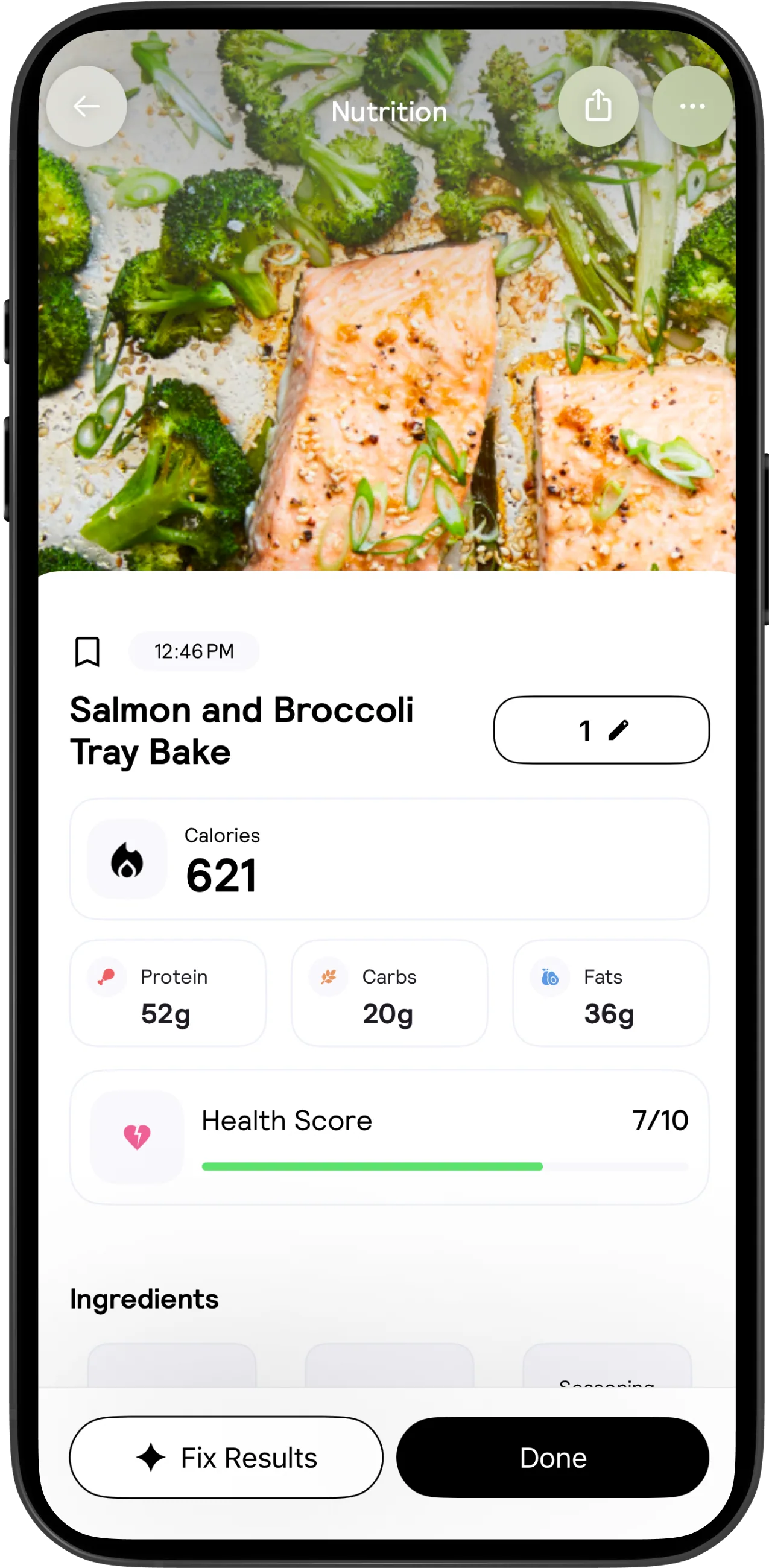 Enlarge ↗Original image ↗
Expanded nutrition result
Store marketing · not a native capture
- Photo header has back, share and overflow controls.
- Serving value has a pencil; nutrition summary leads into Ingredients below.
- Bookmark, time and persistent Fix Results/Done affordances are visible.
Image limitations & provenance
Vendor marketing artwork, not our native capture. Exact runtime, feature entitlement and intervening screens untested. Annotated derivative: assets/calai-v10-annotated.jpg
Official image context ↗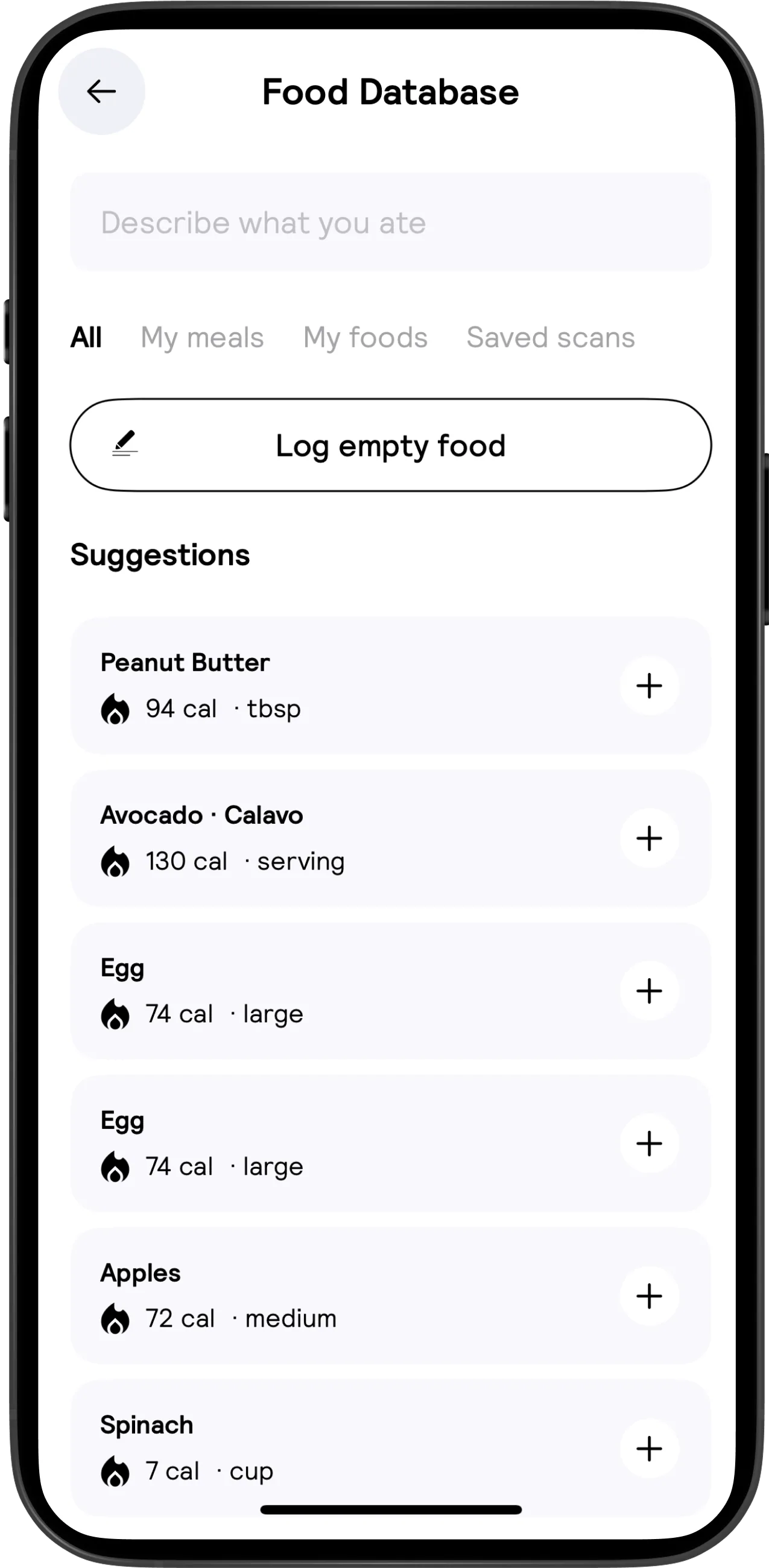 Enlarge ↗Original image ↗
Food database and reuse entry
Store marketing · not a native capture
- All, My meals, My foods and Saved scans are visible tabs.
- Log empty food offers an escape from search; exact subsequent editor is not shown.
- Suggestion rows combine a serving unit, calories and a plus action.
Image limitations & provenance
Vendor marketing artwork, not our native capture. Exact runtime, feature entitlement and intervening screens untested. Annotated derivative: assets/calai-v11-annotated.jpg
Official image context ↗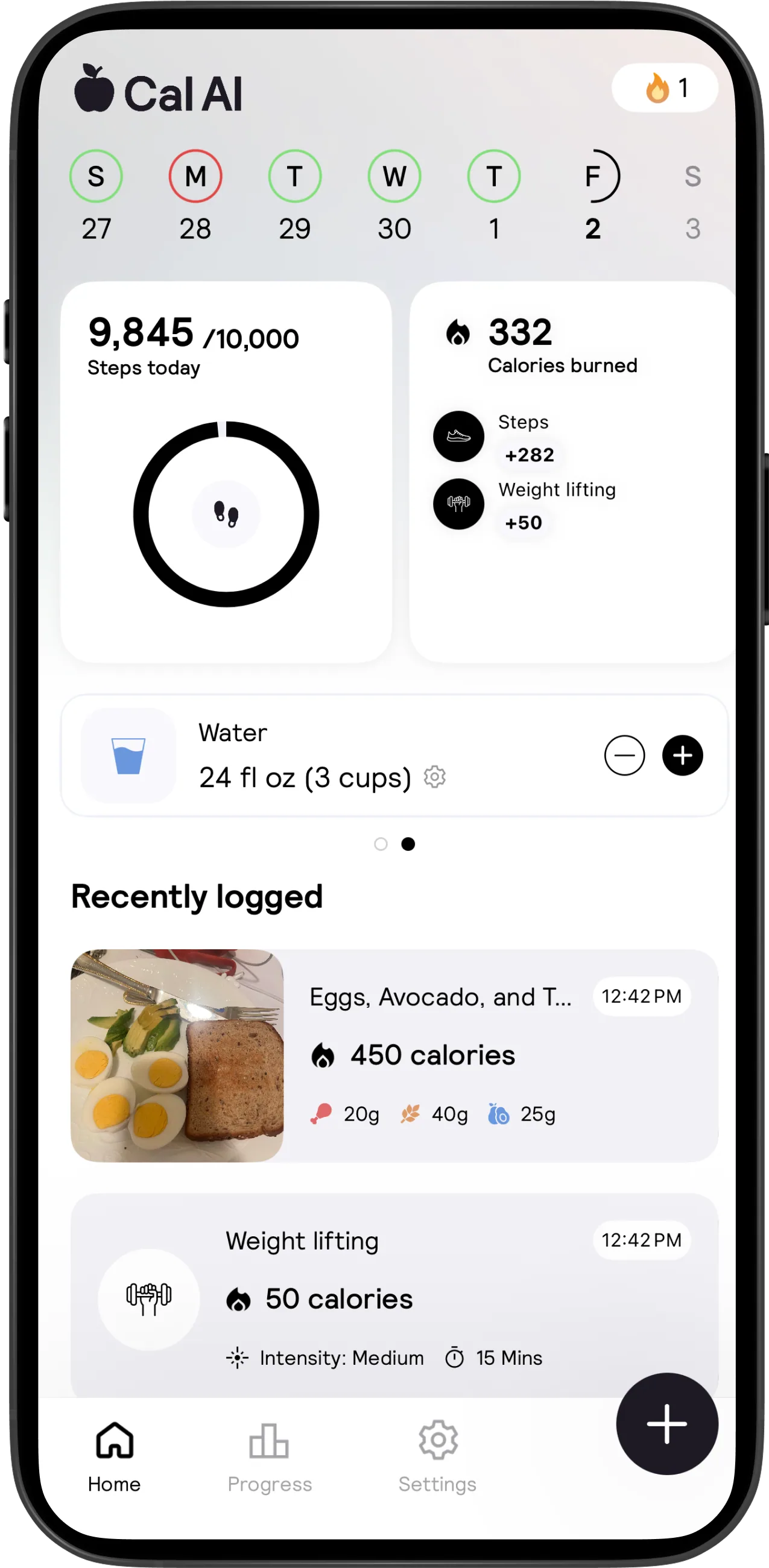 Enlarge ↗Original image ↗
Activity and water dashboard
Store marketing · not a native capture
- Steps and calories-burned cards separate activity types.
- Water exposes minus, plus and a settings gear alongside amount and cups.
- Recent history interleaves food and a weight-lifting entry with time, intensity and duration.
Image limitations & provenance
Vendor marketing artwork, not our native capture. Exact runtime, feature entitlement and intervening screens untested. Annotated derivative: assets/calai-v12-annotated.jpg
Official image context ↗No visuals match these filters.