Decision brief
Use five different benchmarks, not one winner. MacroFactor is the reference for an explained adjustment loop; Cronometer for inspecting the provenance and completeness of nutritional data; Lose It! for daily-budget routines; MyFitnessPal for a broad diary, reuse and planning ecosystem; Cal AI for photo-led capture and a compact review surface. These are research interpretations of the documented product models, not measured rankings.mf-02cr-20li-51mfp-05calai-21
The main strategic conclusion is that voice or photo input alone is not a credible uniqueness claim. Each app has some documented support, although the interface, tier and depth differ: dictation into a text path is not a hands-free assistant, and mentioning voice in a privacy policy does not establish a complete voice workflow.mf-06cr-07li-02mfp-11calai-05 The useful competitive unit is the whole job: capture a meal, inspect the estimate, repair it, save it correctly, and reuse it without losing the correction.
This atlas is a research foundation, not a claim to have reverse-engineered every release. It separates feature documentation, inspected vendor imagery, inferred or incomplete transitions, and the native tests still needed. No competitor account was operated. No benchmark time, accuracy score, conversion rate or reliability measurement is invented.
What “parity” should mean
A yes/no list hides the design decisions that matter. Compare these layers separately:
- Entry: camera, speech, typed description, barcode, label, search or reuse.
- Representation: a single food, a recipe, a reusable meal, an estimated scan or a daily total.
- Review: what is editable before commitment, and what requires a later repair?
- Persistence: does an edit change one occurrence, its template, historical entries, future reuse, or a shared catalog?
- Interpretation: what do the charts and recommendations assume about completeness?
- Control: can the user understand, decline, undo, export and leave?
Those are an original comparison framework for reading the evidence. The matrix's Documented status means support was found, not that the feature was independently tested. Limited may mean a narrower function, platform/tier restriction or incomplete evidence. Unknown never means absent. Read the detail before awarding parity.
Journeys worth comparing side by side
1. Capture a meal and decide when it becomes a record
MacroFactor's Plate separates staging from logging; Cronometer's in-app matching permits review before addition, while its Siri path logs first and asks for review afterward.mf-04cr-07cr-08 MyFitnessPal Meal Scan proposes foods for selection and repair rather than proving a one-shot automatic commit.mfp-10 Lose It! Snap It documents swapping and serving edits before save; Cal AI visibly places Fix Results near Done, but its precise commitment moment remains unobserved.li-05calai-23
Design question: where is the user's last clear opportunity to stop an incorrect interpretation? Benchmark the first correctly saved result, not just the moment an AI response appears.
2. Repair a reusable object without damaging history
MacroFactor explicitly preserves historical logged snapshots when a recipe or custom food changes; retrospective repair requires replacing affected entries.mf-13 Cronometer distinguishes retiring a custom food from deleting it, with different historical consequences, and distinguishes several recipe-edit operations.cr-46cr-10 In MyFitnessPal, a barcode reassignment can affect other users, unlike a private diary edit.mfp-38
The corresponding propagation rules remain incompletely evidenced for Lose It! nutrition corrections and Cal AI saved objects.li-07calai-31 Their presence in the open-test list is not an allegation of a bug.
Design question: can the user predict the scope of an edit before committing it? A confirmation should name the changed object and the records left untouched.
3. Repeat an ordinary breakfast
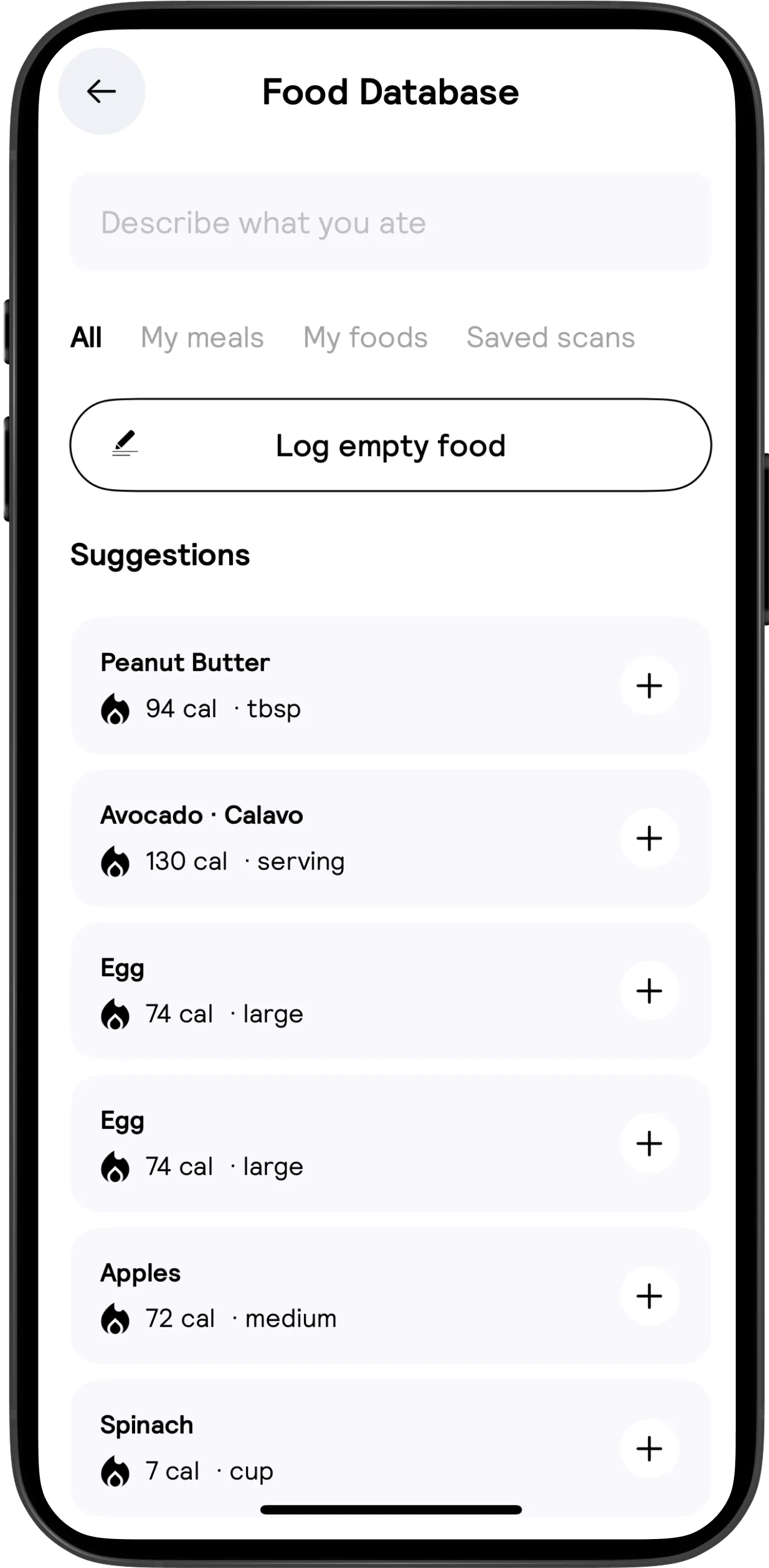
MacroFactor supports portion-aware favorites and multi-date copying.mf-37mf-09 Cronometer has custom meals that can be exploded into individual items; its Repeat Items prompt still needs user confirmation rather than assuming a meal was eaten.cr-12cr-39 MyFitnessPal saved meals log as constituent foods, while Premium multi-day logging has no whole-operation undo.mfp-15mfp-37 Lose It! uses Previous Meals and a use-populated My Foods list; Cal AI visibly separates My meals, My foods and Saved scans without documenting all their relationships.li-52li-09calai-31
Design question: what does reuse preserve—identity, portion, correction, time, template link or just a convenient search result? Test a small variation, not only an identical repeat.
4. Turn a recipe into the portion actually eaten
Cronometer and MacroFactor both document cooked-weight handling; they make the batch/yield model part of the workflow rather than treating a recipe as an unstructured note.cr-15mf-10 MyFitnessPal divides ingredient totals by recipe yield, and Lose It! distinguishes total batch yield from the logged portion.mfp-16li-10 Cal AI advertises custom recipes but public evidence does not establish its ingredient/yield builder.calai-01
Design question: can someone weigh a finished dish, log one portion and later change the recipe without ambiguity? Recipe creation, importing, matching and historical edits are separate acceptance tests.
5. Change a goal without rewriting the past
MacroFactor separates the weight goal from the macro program, so a changed goal need not immediately change today's targets.mf-15mf-17 Cronometer's target-template changes can affect historical uses; creating a new template has different semantics.cr-40 MyFitnessPal documents forward target changes rather than retrospective target editing.mfp-47 Lose It! goal deletion or start-date changes can remove goal history.li-48
Design question: does “change my plan” mean a new future intention, an edited historical reference, or discarded observations? The distinction is too consequential to hide in a settings label.
6. Understand a disappointing week
MacroFactor makes incomplete-day classification an explicit check-in step and distinguishes trend weight from scale weight.mf-19mf-03 Cronometer exposes report denominators and day-completeness filters.cr-21 MyFitnessPal has Progress Overview and Weekly Digest, with rollout and paid-history differences.mfp-03mfp-41 Lose It! Highlights depend on sufficient logging; Cal AI's depicted charts do not prove an adaptive coaching loop.li-21calai-24
Design question: can the user distinguish no data, partial data, genuine zero intake and a bad outcome? A chart that silently averages missing days can look reassuring without being informative.
7. Connect a watch and understand the budget
MacroFactor's optional step-informed adaptation is not direct reimbursement of watch-estimated calorie burn.mf-50mf-28 Lose It! documents a total-burn bonus model that can cross out workout calories to avoid duplication.li-26 Cronometer exposes baseline and activity components but has contradictory guidance requiring a provider-specific test.cr-18cr-24cr-25 MyFitnessPal's integration direction differs by field; Cal AI's FAQ warns of duplicated step sources and describes health-hub routes rather than establishing a complete direct-wearable catalog.mfp-22calai-02
Design question: can a person explain why their calorie allowance changed? A connected logo is not evidence that the correct fields synchronized once.
8. Leave with usable data and no surprise renewal
Cronometer documents date-ranged raw exports; MyFitnessPal's paid CSV package is not automatically equivalent to item-level food portability.cr-28mfp-25 MacroFactor separates summary and granular export, while Lose It! export does not establish a restorable backup because importing is unsupported.mf-23li-28 Cal AI documents PDF export troubleshooting and privacy-request routes without an observed export path.calai-02calai-05
Billing origin matters too. Lose It! describes some US in-app-origin purchases billed through Stripe; MacroFactor deletion does not cancel store billing.li-30mf-24 Treat export, cancel renewal, delete account and uninstall as separate jobs.
Design question: can the user verify both their data outcome and their billing outcome? Do not call an exit flow complete merely because an account disappears.
Design implications for VoiceFit
These are proposed principles, not claims about VoiceFit's current implementation or proven market demand. The competitor review did not audit the current VoiceFit repository.
- Design the correction loop before adding another capture mode. Keep interpreted food identity, amount, units, provenance and save state inspectable. Test the same record after reopen and reuse.
- Name the scope of every edit. Separate today's entry, the saved template and the shared database. Give bulk operations an intelligible repair path.
- Explain recommendations through their inputs. Distinguish a profile estimate, an activity adjustment and a learned estimate. Show incomplete-data states rather than manufacturing precision.
- Treat reuse as the returning-user experience. Measure a familiar meal with one change, not only the first-ever scan.
- Preserve intentional control. Suggested targets need adoption or rejection semantics; planning needs a boundary between intended and consumed food.
- Make exit part of trust. Put billing origin, export scope and deletion consequences where people act, not only in a policy document.
These principles should be evaluated against the existing VoiceFit strengths and implementation before becoming a build backlog. Feature count is not prioritization, and absence of competitor documentation is not a market opportunity by itself.
How to extend this evidence base
The package includes a reusable native validation protocol and app-specific questions. Start with correction persistence, recipe/template history, incomplete days and sync duplicates. Capture app version, OS, storefront and tier for every run. Prefer one coherent recorded journey over dozens of disconnected screenshots when closing a behavioral gap.
Mobbin can improve visual-sequence coverage, but it is not a substitute for native tests or a license to mirror a screenshot library. The separate assessment verifies relevant public coverage and paid-plan access, explains the proposed quarterly option, and records that Lose It! and Cronometer coverage remains unconfirmed. No subscription has been purchased.